
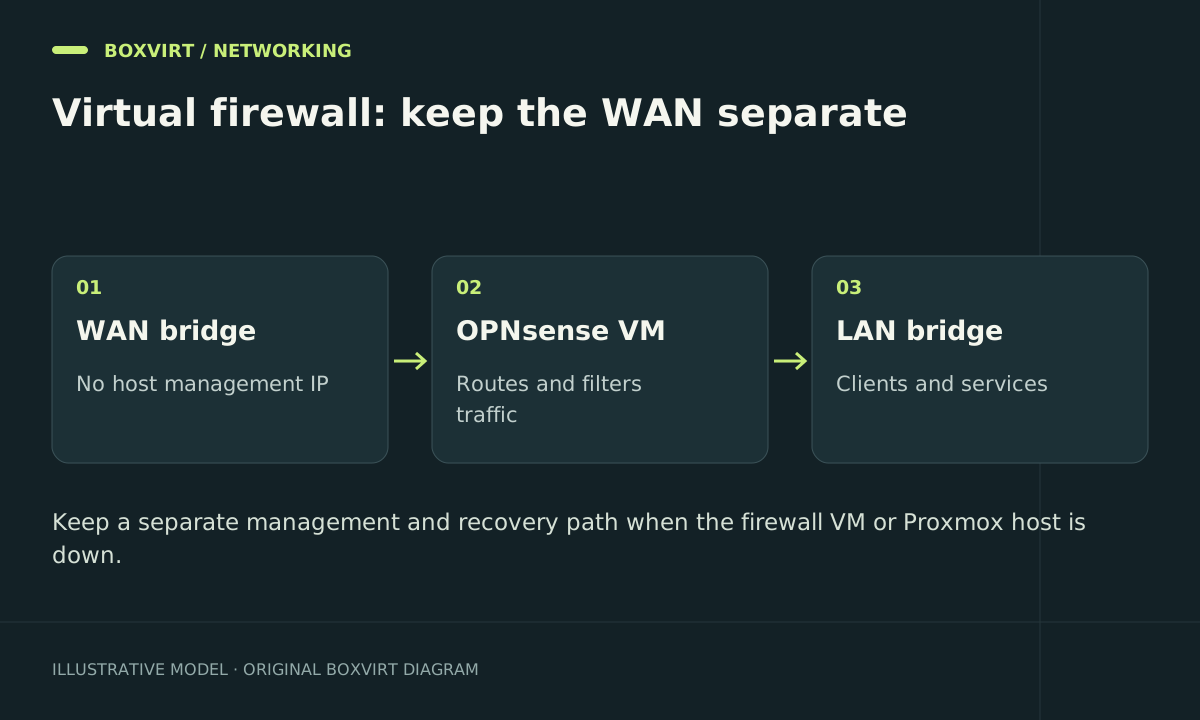
OPNsense can act as a router in a Proxmox VM when its WAN and LAN interfaces connect to the correct networks and host management remains recoverable. Treat the host as part of your network’s availability: restarting it also stops routing unless another system takes over.
This design example uses two physical NICs and separate bridges. It is a starting topology for an isolated lab, not a complete configuration for a hosting provider, VLAN trunk, PPPoE connection, or HA firewall pair.
Plan WAN, LAN, and management identities
Write an interface worksheet before touching the running host:
| Role | Example host connection | Example address or assignment |
|---|---|---|
| WAN | eno2 → vmbr1 → OPNsense WAN vNIC | ISP-facing address belongs to OPNsense |
| LAN | eno1 → vmbr0 → OPNsense LAN vNIC | OPNsense 192.168.50.1/24 |
| Host management | Proxmox address on vmbr0 | Proxmox 192.168.50.2/24 |
| Recovery client | Direct trusted LAN access | Reserved static address outside DHCP pool |
Interface names and bridge numbers are illustrative; match real NICs by MAC address and cable location. The WAN bridge should not carry a Proxmox management address or unrelated guest. An IPv4 address omitted from a bridge is not proof that all host traffic, including IPv6, is isolated.
If bridge mechanics are unfamiliar, read the Proxmox networking guide before applying changes. The upstream network reference explains that a Linux bridge connects physical and guest interfaces much like a switch.
Prepare a recovery path before cutover
Keep local console or out-of-band host access. A laptop connected to the trusted LAN with a static address can still reach the host’s local management address when its normal default gateway VM is stopped, provided switching and policy allow it. Prove that behavior first.
Back up both the Proxmox configuration relevant to networking and the OPNsense configuration. Retain the old router and document which cable to reconnect. The Proxmox backup guide covers the wider guest recovery plan; an automatic VM startup flag is not failover.
Avoid replacing the host’s entire interfaces file with a tutorial example. Stage deliberate changes through Proxmox and apply them with the documented management method while console access is available.
Install and identify the virtual interfaces
Download the appropriate OPNsense installer from the project and verify its published integrity information. Create the VM using the official virtualization guidance, with resources sized for your actual VPN, inspection, logging, and throughput requirements.
Attach one NIC to the WAN bridge and one to the LAN bridge. Record each virtual MAC address and label. Assign interfaces in OPNsense using those identities; do not rely on an assumed discovery order after devices change.
Before connecting the live LAN, give the firewall its planned LAN address and configure administration, DHCP, and DNS in an isolated test network. Verify the subnet boundaries and ensure the old router cannot answer DHCP on that test segment.
Check OPNsense interface settings against its offload guidance. Start with the documented defaults; changing checksum, segmentation, and receive offload together to chase throughput makes failures harder to isolate.
Move traffic only after isolated tests
Connect a test client behind the VM and check its gateway, DNS server, public name resolution, and HTTPS access. Test an explicitly prohibited connection between security zones as well as a permitted one. If IPv6 is enabled, repeat the policy tests over IPv6.
For client DNS, the Unbound DoT guide separates resolver behavior from traffic transport. If you change DHCP implementations, follow a separate Kea migration plan and account for old leases.
During the live cutover, stop the old DHCP allocator before starting an unrelated one on the same LAN. Connect WAN and LAN cables according to the worksheet. Do not use a second DHCP service as a connectivity experiment on the production segment.
Test failure and rollback
In a maintenance window, stop the router VM and confirm local host recovery access still works. Start it and verify DHCP, DNS, routing, and expected denied traffic again. Later, test the host reboot and startup order with someone able to use the console.
If cutover fails, stop the new allocator and restore the old router and cabling. Reconcile any leases issued by the new setup before reusing the old pool. Restore the saved host network configuration through your recovery path if the bridge change caused the outage.
Frequently asked questions
Do I need PCI passthrough for OPNsense on Proxmox?
No universal requirement makes passthrough mandatory. A bridged design can work; passthrough changes hardware ownership, migration options, and recovery. Choose it to meet a specific tested requirement.
Why can clients reach the internet while Proxmox management is unavailable?
The router’s forwarding path and the host management address are separate. Check the host IP, prefix, bridge attachment, VLAN handling, and management firewall policy without changing a working WAN interface.
Can I run this with one physical NIC?
A carefully designed VLAN trunk can carry separate zones, but it requires compatible switching and correct tags at every boundary. Build and verify that topology separately; do not collapse WAN and LAN into an untagged bridge.
What happens during Proxmox updates or a host failure?
A single-host virtual router stops with that host. Schedule outages, retain a practical replacement path, or design actual redundant routing on independent failure domains.