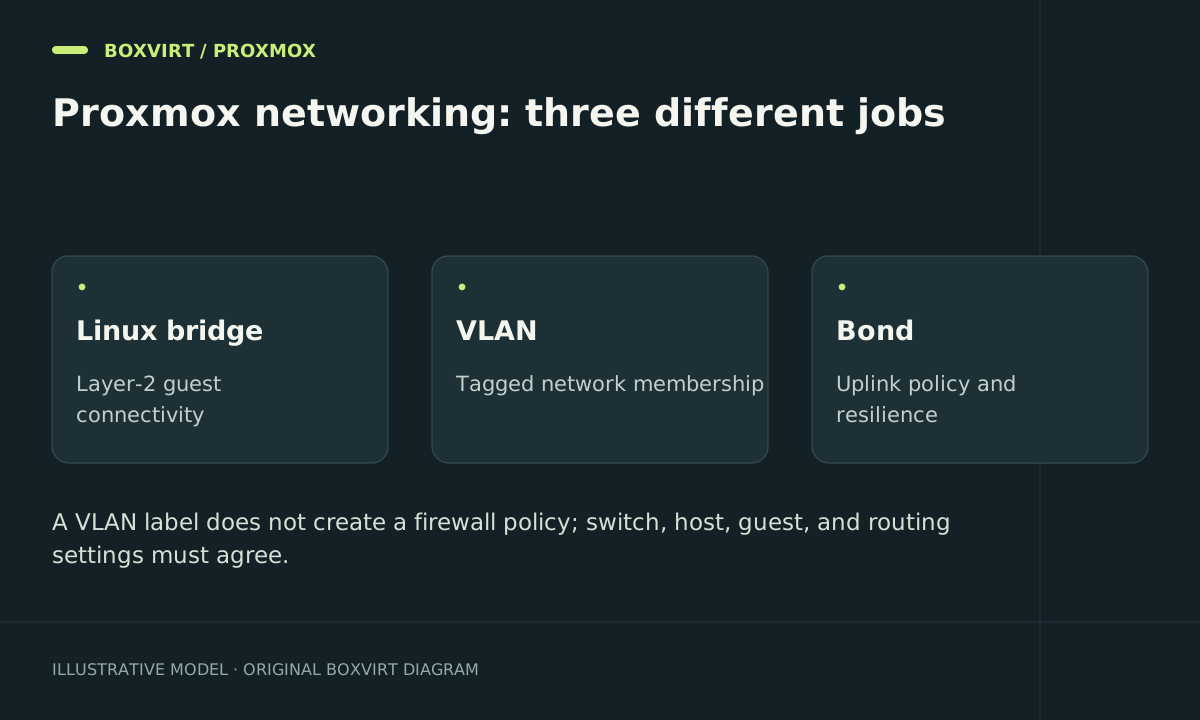
A Proxmox Linux bridge connects interfaces within a layer-2 segment. VLANs carry separate segments over shared links, bonds combine physical links for a chosen failure or traffic-distribution model, and firewall rules control permitted traffic. Treat those as separate design decisions before changing a host you administer remotely.
This guide provides conceptual configuration examples and a validation plan. Interface names, switch settings, and management reachability must be verified on your own host; these examples are not a tested replacement for its current configuration.
Inspect the live path and keep recovery access
Before editing, save /etc/network/interfaces and any included configuration files securely. Record the switch port configuration and guest NIC settings as well. Keep a local console or out-of-band management session: changing the bridge that carries your own connection can disconnect you.
ip -br link
ip -br address
ip route
bridge link
bridge vlan show
Match Linux interface names to physical ports rather than relying on an example’s eno1. Identify where the management IP and default route currently live. Check for IPv6 routes as well if IPv6 is enabled.
Put the management IP on the bridge
In a common single-uplink design, the physical NIC becomes a bridge port and the host’s address is assigned to the bridge. This illustrative /etc/network/interfaces excerpt assumes an actual management network of 10.20.10.0/24:
auto eno1
iface eno1 inet manual

auto vmbr0
iface vmbr0 inet static
    address 10.20.10.10/24
    gateway 10.20.10.1
    bridge-ports eno1
    bridge-stp off
    bridge-fd 0
The example gateway must exist on that network. Do not leave the same management address on both eno1 and vmbr0, and do not add a second default gateway accidentally. Retain the host’s loopback stanza and other required configuration; this is an excerpt, not a complete file to paste over an existing setup.
Guests attached to vmbr0 can reach the external segment through eno1. A bridge with bridge-ports none has no physical uplink, but its guests can still talk to each other. Another attached router or a multihomed guest can create routes outside it.
Add VLANs only when the entire path agrees
For a trunk that carries guest VLANs 20 and 30, a VLAN-aware bridge can include:
    bridge-vlan-aware yes
    bridge-vids 20 30
These lines belong within the relevant bridge stanza. They do not configure the switch. The upstream switch must permit the same tagged VLANs, and management’s untagged/native or tagged VLAN must remain explicitly supported. Test the management design separately before restricting allowed IDs.
If a VM’s Proxmox NIC has VLAN tag 20, Proxmox handles that tag at the virtual port; the guest normally sees an untagged interface for that assigned network. A guest that creates its own VLAN subinterfaces needs a deliberate trunk design instead. Do not tag the same traffic twice by accident.
Give each routed segment its own address plan using the Subnet Calculator. Then define which flows the router/firewall allows. The virtual OPNsense router guide covers the separate WAN/LAN and recovery concerns of a firewall guest.
Choose a bond for a specific failure model
An active-backup bond can keep one link active while another is available for failover. An 802.3ad bond requires matching LACP configuration on the switch. Neither makes every single TCP transfer use the sum of all link speeds; flow hashing and the chosen mode determine distribution.
Check the physical failure boundary. Two cables into one switch do not protect against losing that switch. Plan link and switch failures explicitly, then measure failover with real guest traffic during a maintenance window.
Apply and test incrementally
Use the installed Proxmox release’s supported network configuration workflow. Live reload with ifupdown2 is different from bouncing an interface with ifdown; the latter can interrupt guests. Do not run either blindly through your only remote session.
After each change, test from a separate client connection:
| Test | Expected result |
|---|---|
| Trusted client → host HTTPS | Allowed |
| Guest → its gateway and DNS | Allowed as designed |
| Guest → required application | Allowed |
| Untrusted segment → host management | Denied by the relevant policy |
| Guest VLAN 20 → restricted VLAN 30 service | Denied unless explicitly allowed |
Repeat relevant tests over IPv6. Use the firewall-chain overview to distinguish traffic destined to a router from traffic it forwards; the conceptual difference also matters when troubleshooting host and gateway rules.
If management access fails, restore the saved configuration through the console using the supported workflow, then align the switch configuration before trying again. A host rollback cannot undo a switch change.
Planning tools
Plan different IPv4 host requirements with the VLSM calculator, turn an existing range into an exact CIDR list, or split a provider allocation with the IPv6 subnet calculator. Mathematical allocations still need separate VLAN, routing and firewall configuration.
Frequently asked questions
Why do guests on a bridge without a physical port reach each other?
They share the same virtual layer-2 segment. No physical uplink isolates that segment from one path outward, not its members from one another.
Does enabling VLAN awareness isolate all my guests?
No. It enables VLAN handling. Guest tags, allowed VLANs, switch ports, routes, and firewall policy must all match the intended isolation.
Should the host IP be on the physical NIC or bridge?
In the bridged example above, the host participates through vmbr0 and the physical port has no address. Other designs exist; keep one consistent design instead of duplicating the address.
Will two 1 Gbit/s links make one transfer 2 Gbit/s?
Usually a single flow remains on one link under common bond hashing policies. Measure your workload and choose a mode for the capacity or availability requirement you actually have.