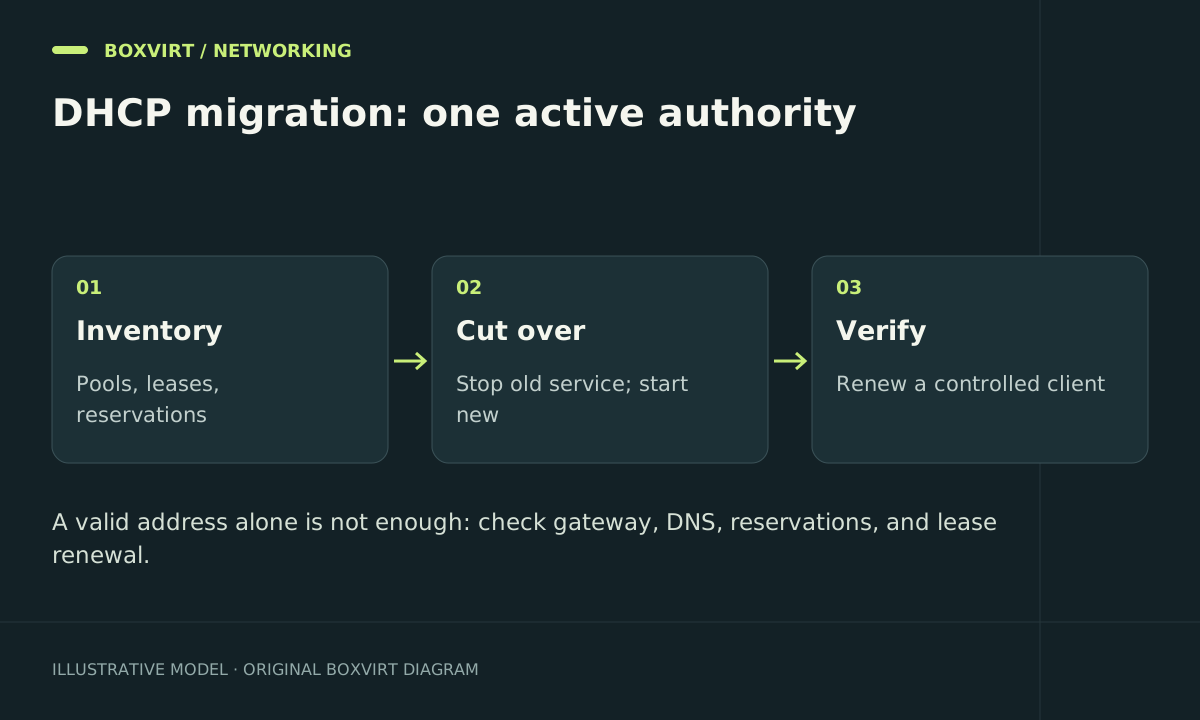
An OPNsense Kea migration needs a plan for existing leases, reservations, and DNS, not just a new pool. Stop the old allocator before enabling an unrelated replacement on the same segment, and ensure the new server cannot assign addresses that clients still hold.
Kea is not the automatic recommendation for every home network. Current OPNsense documentation presents Dnsmasq for smaller deployments and Kea for larger or HA-oriented environments. Older advice that treats Kea as the only replacement for ISC DHCP misses this distinction.
Decide whether Kea fits the network
Check the current Dnsmasq comparison against the release installed on your firewall. Choose around required features, client count, local DNS behavior, and failover needs rather than the age of a tutorial.
The Kea reference currently states that dynamic hostname registration between Kea and Unbound is unavailable; static reservations synchronize on an Unbound restart. Kea’s RFC2136 DDNS facility is a different integration with an authoritative DNS server. Do not promise that enabling Kea preserves old dynamic local names automatically.
This walkthrough concerns a planned DHCPv4 cutover. DHCPv6, prefix delegation, router advertisements, and HA require their own design and acceptance tests.
Build an address worksheet
Export your firewall configuration, then record subnet IDs, interfaces, relay paths, pool ranges, client identifiers, reservations, active leases, gateway, DNS options, and lease durations. Keep a static administration address outside the allocator’s ranges and verify console access.
For example, suppose your LAN is 192.168.50.0/24:
| Item | Illustrative value | Migration question |
|---|---|---|
| Gateway and DNS | 192.168.50.1 | Are both options explicitly correct? |
| Existing dynamic pool | .100–.149 | Which addresses have unexpired leases? |
| Proposed temporary pool | .160–.199 | Is every address actually unused? |
| Infrastructure range | .2–.49 | Does it overlap reservations or static clients? |
The temporary range is an example allocation strategy, not an instruction to assume those addresses are free. Check inventory, reservations, and connected devices. Ping silence does not prove an address is unused: a sleeping device can retain a valid lease. Use the Subnet Calculator to confirm boundaries and capacity.
Prepare Kea without a competing allocator
Configure the appropriate interface or relay-reachable subnet under the Kea DHCPv4 service. Add the intended pool and explicitly check router, DNS, domain, lease duration, and reservations. Keep it disabled until the cutover.
Choose a documented way to account for active leases. A separately verified free temporary pool can reduce overlap; a tested release-specific lease migration may be appropriate elsewhere. Do not copy another daemon’s lease database into Kea and assume compatibility.
If shortening leases beforehand, allow time for clients to renew under that policy. Editing a server setting does not retroactively shorten every lease already held by a disconnected device.
For a virtual firewall, confirm the management recovery path in the OPNsense on Proxmox guide before modifying client addressing.
Cut over one segment
- Save a final export and capture the active lease inventory privately.
- Stop the previous DHCP allocator for the target segment. Confirm another router or Dnsmasq instance is not still answering there.
- Enable the prepared Kea service and inspect its status and logs.
- Renew one disposable or locally accessible test client. Do not release the lease of your only remote administration machine.
- Inspect its address, prefix, gateway, DNS servers, search domain, and lease time.
- Test a reservation, a new client, and an existing client before changing another VLAN.
A basic single-server setup does not justify exposing the Control Agent API. HA and automation should use their documented access design, with management endpoints restricted independently.
Acceptance tests and rollback
Use a short DHCP packet capture on the test segment to check server identity and detect competing offers. Confirm the lease appears in Kea, the default route works, and a known internal name resolves. Test name resolution separately from address allocation; revisit Unbound forwarding only if that path is involved.
If rollback is necessary, stop Kea first. Preserve its new leases, reconcile allocations with the old server’s view, then restore the saved configuration and allocator. Simply starting the old service can recreate the same overlap in reverse. Verify one client before reopening access to the rest of the network.
Frequently asked questions
Will Kea automatically import ISC DHCP leases?
Do not assume so. Configuration conversion and active lease transfer are separate operations. Confirm a supported procedure for the installed release or plan a migration range that avoids outstanding allocations.
Why does internet access work but local hostnames fail after migration?
Clients may have correct network settings while DHCP-to-DNS registration has changed. Check the current Kea integration limits, static records, and any authoritative DDNS service before changing the pool.
Can ISC DHCP and Kea run together during the cutover?
Independent overlapping allocators on one segment can issue conflicting addresses. A documented HA design or intentionally separated scopes is different and must be configured as such.
Does changing DHCPv4 also migrate IPv6?
No. Inventory DHCPv6 and router advertisements separately. A client can keep IPv6 connectivity or DNS settings that do not match your IPv4 migration assumptions.