To enable DNS over TLS in OPNsense, configure an Unbound TLS forwarder with the upstream IP, port 853, and its certificate verification name. Then confirm an uncached query leaves the firewall over TLS. A successful lookup by itself does not establish which upstream transport was used.
This procedure covers Unbound forwarding to a public resolver, with clients using the firewall for DNS. It is not a policy that prevents every application from choosing another resolver.
Before changing your resolver
Export the OPNsense configuration and record working DNS settings. Have console access and one client whose DNS configuration you can inspect. Check the installed release: menu layout and DHCP integration can differ from old screenshots.
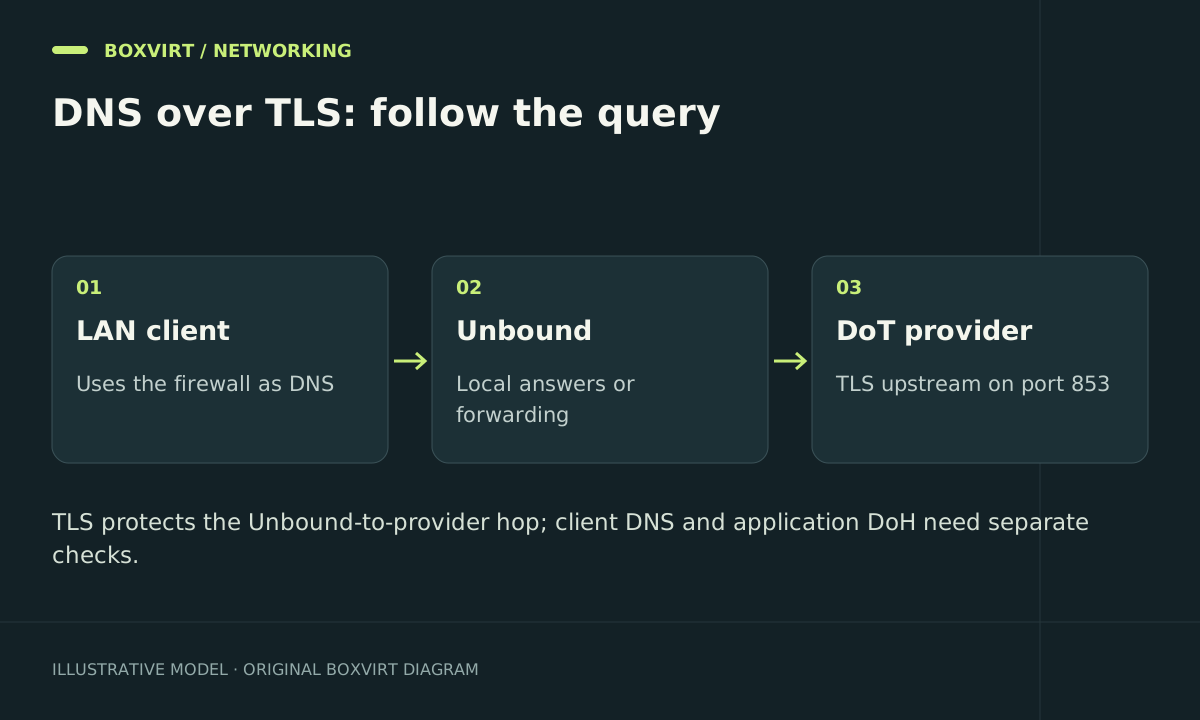
The intended path is client → firewall DNS → Unbound → TLS upstream. If Dnsmasq supplies DHCP and local names, keep that local resolution path working. Decide which internal domains must stay on your own resolver before making a catch-all forwarder.
A firewall with an incorrect clock can reject a valid upstream certificate. Check time synchronization before diagnosing encryption settings.
Add a verified TLS upstream
Under Services → Unbound DNS → DNS over TLS, add an enabled entry using these documented Cloudflare values:
| Field | Example | Purpose |
|---|---|---|
| Domain | Empty | Forward otherwise unmatched names |
| Server IP | 1.1.1.1 | Upstream destination |
| Port | 853 | TLS DNS service |
| Verify CN | cloudflare-dns.com | Name used to authenticate the certificate |
A second entry can use 1.0.0.1 with the same port and verification name. These two addresses belong to the same provider; they do not create provider independence. Cloudflare documents the endpoint details in its DoT reference.
Review Query Forwarding → Use System Nameservers: it can take precedence over a catch-all TLS entry. Remove unintended competing catch-all choices, while retaining intentional domain-specific local forwarding. Apply the change and check service status. Do not leave certificate verification blank to make an error disappear. OPNsense documents both precedence and the verification field.
Give clients the intended DNS server
Advertise the firewall LAN address through your actual DHCP service. In this example it is 192.168.50.1. A public resolver listed as a secondary DNS server can be used by clients independently of your preferred server; it is not necessarily an emergency-only fallback.
Renew a test client’s lease and inspect its resolver settings. For a DHCP service change, use the separate OPNsense Kea migration guide rather than combining two network changes into one troubleshooting session.
From a client with dig, explicitly query the firewall:
dig @192.168.50.1 example.com A
dig @192.168.50.1 example.com AAAA
Check the returned status and server address. Also test one known local hostname. A failure affecting only local names usually needs different investigation from a failure affecting public DNS.
Verify the upstream transport
Run the documented configuration check on the firewall:
configctl unbound check
Next, open a packet capture on the WAN or actual resolver egress interface. Capture traffic to the configured upstream on TCP port 853, then request a legitimate name that is not already cached. Check for the expected destination and TLS traffic. Repeat a query and notice that a cached answer may produce no upstream exchange.
Run a separate short capture for port 53. Investigate any packets by source and destination before declaring a leak: an intentional local forwarder, another client, and an unintended external fallback are different cases. Packet capture confirms the observed connection; it does not reveal encrypted DNS content or guarantee the behavior of every application.
When OPNsense is a VM, verify the interface carrying that traffic against the Proxmox virtual router topology.
Troubleshoot and roll back
| Symptom | First checks |
|---|---|
Public names return SERVFAIL | Upstream reachability, clock, verification name, service logs |
DNS works but no port 853 traffic appears | Cache hit, capture interface, competing forwarding settings |
| Public DNS works but local names fail | Local overrides, domain-specific forwarding, DHCP name registration |
| One client behaves differently | Lease options, IPv6 DNS settings, application DNS configuration |
Restore the previous Unbound configuration if clients lose resolution. Repeat public and local lookups on the test client before rolling the change out to other networks. Avoid disabling DNSSEC or TLS verification as a general repair.
Frequently asked questions
Does OPNsense DNS over TLS encrypt DNS between my laptop and the firewall?
Not in this setup. The encrypted connection is between Unbound and its upstream. Ordinary client DNS can remain visible on the local network; securing that segment requires a separate design.
Should I redirect all port 53 traffic immediately?
First make the resolver work and identify exceptions. Enforcement needs rules for IPv4 and IPv6, local services, and failure behavior. Port 53 redirection alone does not cover application DNS over HTTPS.
Can I keep internal DNS while forwarding public queries over TLS?
Yes. Preserve local host records and intentional domain-specific forwarders. Test a local hostname after enabling the public catch-all, especially if DHCP supplies names.
Does DNS over TLS replace DNSSEC?
No. TLS authenticates and encrypts a connection to the selected resolver. DNSSEC validates signed DNS data. Treat certificate failures and DNSSEC validation failures as separate problems.