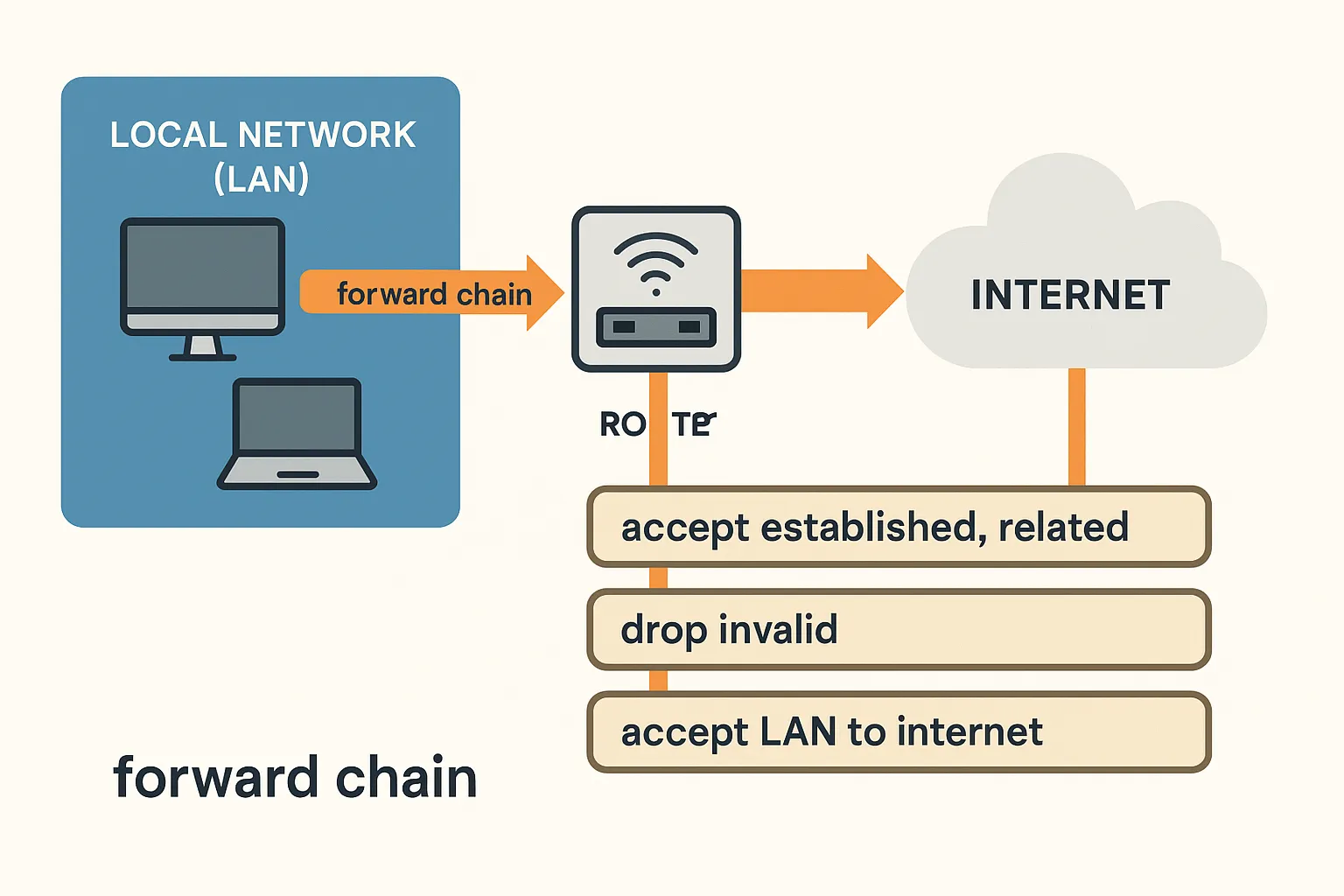
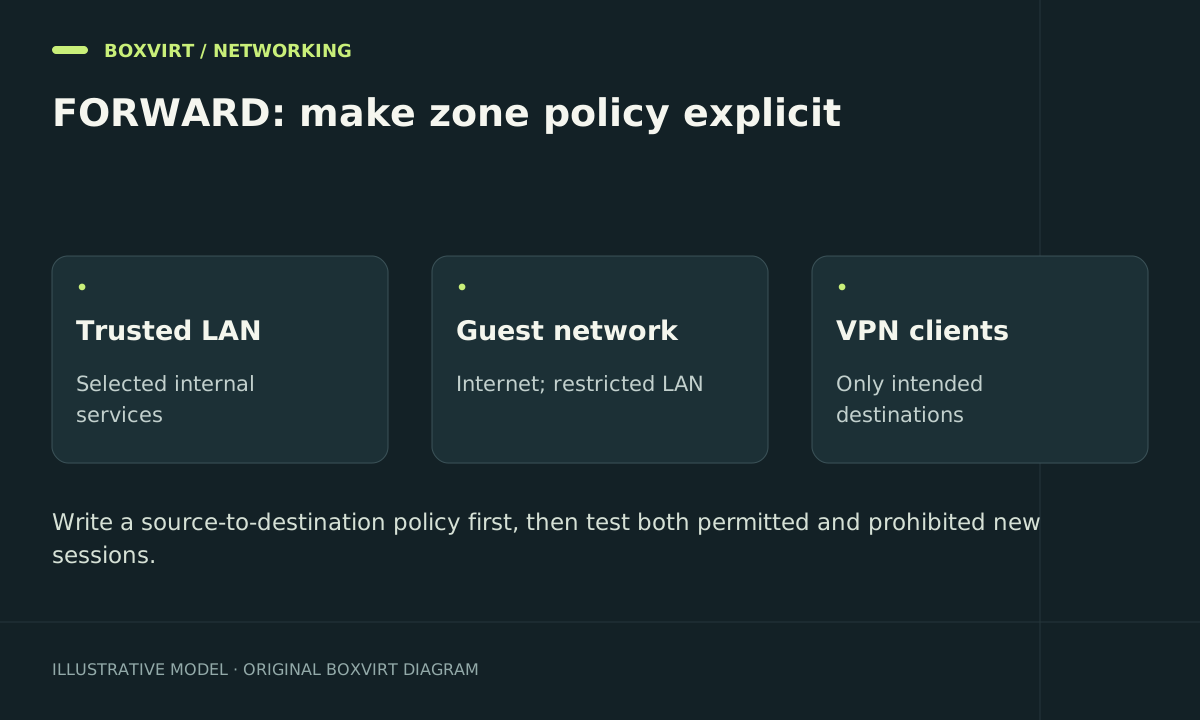
Use the MikroTik forward chain to control traffic routed between clients, server networks, VPN peers and the internet. It is the boundary for a guest reaching a NAS on another subnet, while a guest reaching the router’s own DNS service belongs to input.
This guide designs a small RouterOS 7 segmentation policy and shows narrowly scoped candidates. It assumes the MikroTik is actually the gateway for the networks involved. It is not a complete replacement for an existing router configuration.
Write the allowed flows before the rules
Consider three sample roles: guests on 192.168.70.0/24, servers on 192.168.60.0/24, and one WireGuard laptop at 10.77.0.2. The NAS is 192.168.60.100.
| Source | Destination | Intended policy for a new connection |
|---|---|---|
| Guest VLAN | Internet through WAN | Permit according to the guest internet policy |
| Guest VLAN | Server subnet | Deny |
| WireGuard laptop | NAS TCP 443 | Permit |
| WireGuard laptop | Other NAS services | Deny unless separately required |
| Internet | Internal hosts | Deny except intentionally published services |
| Reply to an approved connection | Original client | Permit according to connection state and routing |
Use distinct interfaces and subnets for distinct trust zones. Check network boundaries with the Subnet Calculator before turning a host address into a prefix match.
A VLAN creates a layer-2 separation; it does not decide which routed traffic the gateway should permit. Clients on the same layer-2 segment can also communicate without traversing this forward policy.
Inspect the existing processing path
/interface print
/interface list member print
/ip route print
/ip firewall filter print detail where chain=forward
/ip firewall filter print stats where chain=forward
/ip firewall nat print stats
Find broad LAN accepts, custom-chain jumps, final denies and FastTrack rules. A default policy that blocks unsolicited WAN traffic can still permit guest-to-server traffic if it does not impose that internal boundary.
The chain overview helps distinguish router-local tests from transit tests. For virtualised networks, also check the bridges and VLAN paths described in Proxmox networking.
Create two narrow candidate rules
Follow the safe-change procedure. The sample interfaces wg-remote and vlan-guest must already exist and match your actual ingress paths. Both rules start disabled:
/ip firewall filter add chain=forward action=accept in-interface=wg-remote src-address=10.77.0.2/32 dst-address=192.168.60.100 protocol=tcp dst-port=443 disabled=yes comment="Boxvirt forward VPN NAS HTTPS"
/ip firewall filter add chain=forward action=drop in-interface=vlan-guest src-address=192.168.70.0/24 dst-address=192.168.60.0/24 disabled=yes comment="Boxvirt forward guest server boundary"
Place the NAS allowance before the deny that would otherwise reject it. Place the guest boundary before any broad rule that accepts guest-to-server traffic. Review your existing handling of established replies, invalid packets and intentional untracked traffic before enabling either change.
The guest rule blocks only the stated server subnet. It does not automatically isolate guests from every internal network or deny guest-to-router services. Extend the policy from your inventory rather than treating one example subnet as complete protection.
The NAS allowance is also not a full VPN policy: verify that a later rule denies the VPN flows that should remain unavailable. For peer keys and split routes, use the separate WireGuard setup guide.
Account for FastTrack and existing connections
Previously accepted connections may remain established or FastTracked after a policy change. Test a genuinely fresh connection and inspect the tracking path before declaring a rule ineffective. FastTrack can also affect logging and counters for later packets.
Do not flush the entire connection table just to make a test easier. If immediate revocation of a particular session is required, identify that exact session and arrange the disruption deliberately. Asymmetric routing needs additional care because a packet may be classified invalid even when it belongs to legitimate traffic.
Verify each boundary from the actual source zone
| Test | Evidence to collect |
|---|---|
| Guest opens a public HTTPS site | Expected WAN route and successful response |
| Guest opens NAS TCP 443 | Failure plus the guest-boundary counter increment |
| VPN laptop opens NAS TCP 443 | Successful TLS/application response and intended accept counter |
| VPN laptop opens an unapproved NAS port | Failure plus the intended denying rule’s counter |
| Same tests using IPv6, if available | Separate IPv6 policy and results |
A timeout alone does not prove segmentation: the NAS could be offline or its own firewall could reject the connection. Correlate the test with the router’s decision and confirm the service is healthy from an authorised path.
To roll back a candidate, disable its exact commented rule using your independent management session and retest the affected service. Keep the previous configuration until the complete traffic matrix passes.
Frequently asked questions
Does masquerade isolate my guest network?
No. Source NAT changes addressing; the forward policy decides whether traffic may cross a routed trust boundary. A working internet masquerade rule says little about guest-to-server access.
Why can guests still reach each other?
Their traffic may stay within the same bridge or wireless segment. Evaluate client isolation and layer-2 design separately from routed inter-VLAN policy.
Do I need an accept rule in both directions?
Not necessarily for a client-initiated stateful connection: an appropriate established/related policy can allow its replies. A new connection initiated by the server is a separate permission.
Is a port forward enough to publish an internal service?
Destination NAT and forward filtering both need to permit the intended path. The server also needs a valid return route and its own service/firewall configuration. Hairpin NAT adds another consideration for local users of the public address.