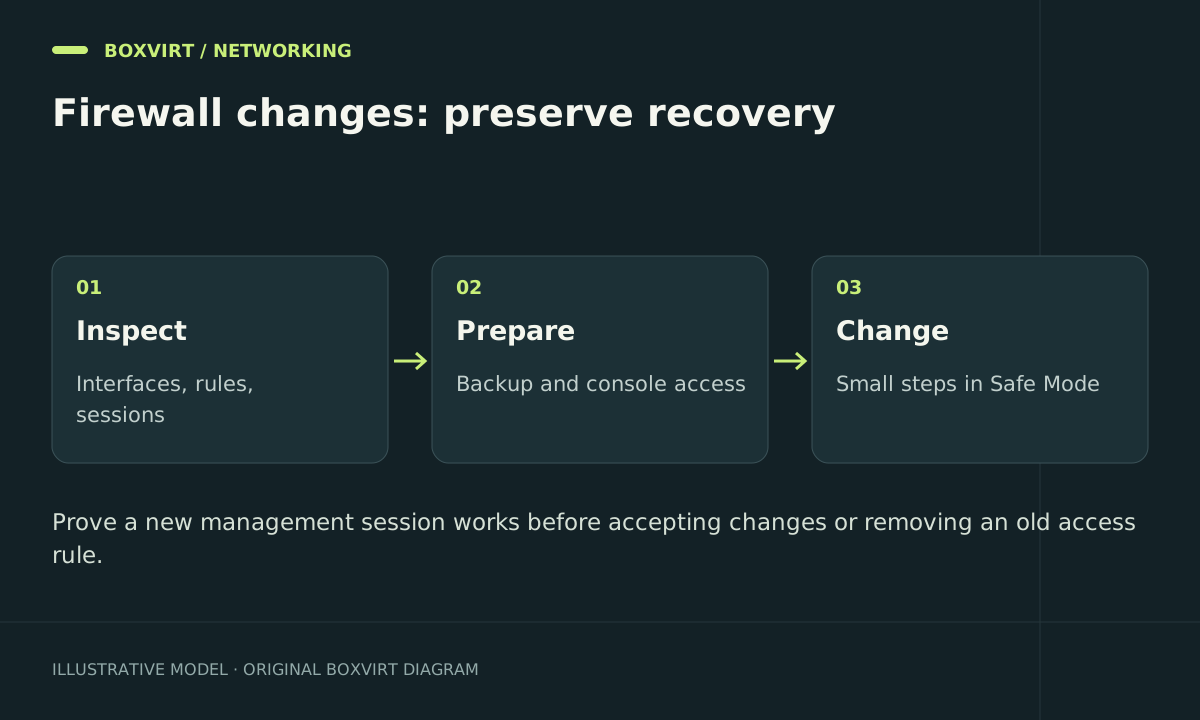
Prepare MikroTik firewall changes by recording the existing network, saving a recoverable baseline and proving a second administration path. Replacing every rule with a copied script on a live remote router can remove working protection and the route you need to repair it.
This is a RouterOS change procedure, rather than a universal replacement ruleset. Use it before the more specific input-chain and forward-chain examples.
Inventory the network you will actually change
Start with read-only commands:
/system resource print
/system package print
/interface print
/interface list member print
/ip address print
/ip route print
/ip firewall filter print stats
/ip firewall nat print stats
Record the device model, installed RouterOS release, WAN connection, management interface, internal subnets, VLANs, VPNs and published services. If IPv6 is enabled, inspect its addresses, routes and filters too. Default configurations vary; the label LAN does not establish that only administrators belong to it.
Locate the physical console or another suitable recovery method. An administration tunnel carried over the same router is useful but not independent if your change removes its route or firewall permission.
Save an export and a protected backup
Create a readable export for comparison:
/export file=before-firewall-change
/file print where name~"before-firewall-change"
Download the resulting .rsc file over your trusted management path and confirm that it opens. Keep it private: default secret hiding does not remove topology, comments or every operational identifier. A text export is not a complete device image; the backup and logging guide explains the separate binary backup and recovery record.
Before a major change, create a password-protected binary backup as well and store its password separately. Record the hardware and RouterOS version needed for a compatible restoration. Do not discover backup limitations for the first time after losing the router.
Use Safe Mode for a small, bounded change
In a RouterOS terminal, press Ctrl+X or F4 to enter Safe Mode and confirm that the prompt displays <SAFE>. In WinBox, use its Safe Mode control. The documented protection can undo changes when the owning session terminates abnormally, but it has a finite history and rollback may not be immediate.
A practical sequence is:
- Enter Safe Mode from the trusted management session.
- Make one small policy change with an identifiable comment.
- Open a new administration session over the intended permitted path.
- Check a required user service and a deliberately denied connection.
- Return to the owning session and release Safe Mode with Ctrl+X only after accepting the result.
To abandon changes in the CLI, the documentation specifies Ctrl+D. Do not assume /quit performs the same rollback. Avoid unrelated administrators changing configuration during the session: their changes can be part of the same Safe Mode history.
Safe Mode is a recovery aid, not permission to paste hundreds of commands. Keep batches small and consult the behaviour for the installed release.
Write an acceptance matrix before touching rule order
| Test | Example acceptance condition |
|---|---|
| New management login from allowed workstation | Login succeeds and the intended input rule matches |
| Management attempt from guest network | Connection is denied by the intended policy |
| Client DNS and DHCP | Name resolution and a lease renewal still work |
| VPN client access | Only the intended service is reachable |
| Published service | External connection reaches the correct host |
| IPv6 path, when used | Equivalent intended access and denial are verified |
An established WinBox session is a weak test of a new management rule because stateful rules may preserve it. The fresh login is the important observation.
Use the chain overview to decide which chain each test exercises. A guest-to-server denial belongs to a different policy from a guest-to-router denial.
Apply, compare and retain a rollback point
Create candidate rules disabled, inspect their matches, and place them deliberately relative to existing rules. Add the required allowance before restricting its corresponding service. Enable one change, run its tests and inspect counters before continuing.
Keep the previous rule available until its replacement has passed the acceptance matrix. Roll back the specific change that caused the regression instead of resetting the entire device. After acceptance, save a new export, record what changed and confirm your off-device backup is still available.
Frequently asked questions
Should I reset the router before building a firewall?
Only when a planned rebuild genuinely requires it and you have local recovery access, saved configuration and time to restore services. An existing router does not need to become unprotected to receive a clearer policy.
Will Safe Mode always recover a remote lockout?
Do not rely on it as the only recovery path. Session termination, rollback timing, supported changes and history limits matter. A local console or other documented recovery method remains valuable.
Can I use a text export on a different MikroTik model?
It can help migrate selected configuration after review, but interface names, hardware features and release syntax may differ. Importing the entire export without adaptation is not a portable recovery plan.
Why did my current session work while a second login failed?
An established-connection allowance may have kept the original session alive. The second attempt tests whether the new access policy actually permits a fresh connection.