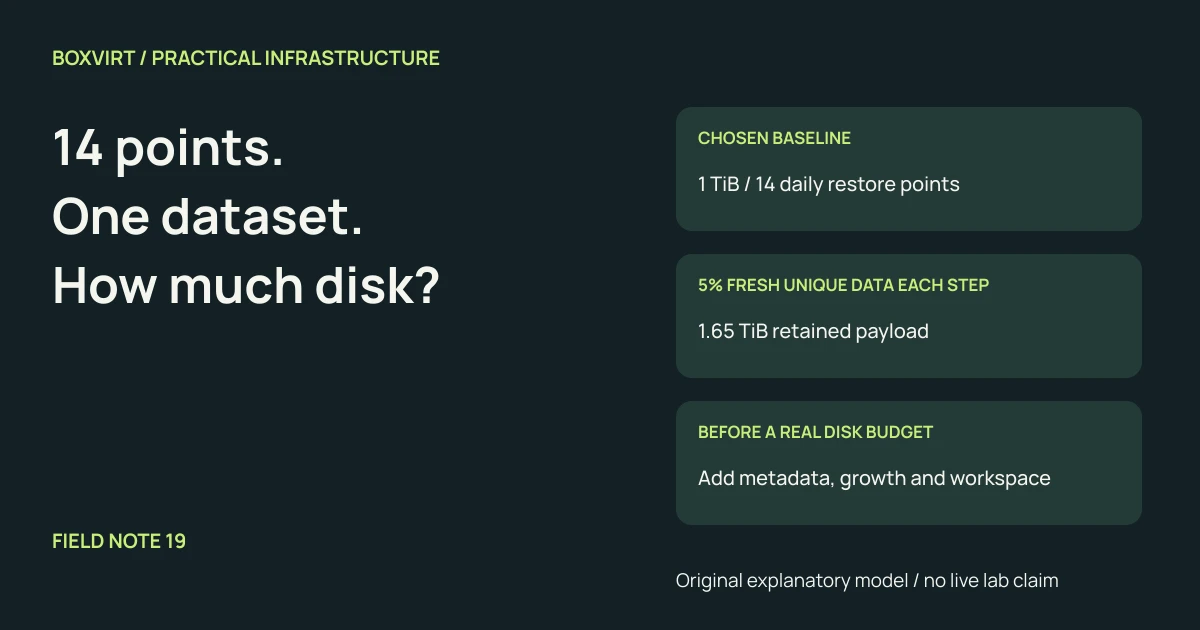
Start with the physical data needed for the retained restore points, then add metadata, growth and working headroom. Multiplying a full backup’s logical size by its retention count can overstate a deduplicated datastore; assuming every day costs nothing can understate it badly.
The missing input is how much additional physical data each retained point keeps alive. “Five percent changed” is not enough unless you define what was measured: application writes, changed files, transferred chunks or newly stored unique chunks. This guide builds a deliberately simple model and shows where real observations must replace its assumptions.
Distinguish a full restore point from another full physical copy
In Proxmox Backup Server, a snapshot references the chunks needed for its complete recovery point. Multiple snapshots can reference the same chunks. The PBS technical overview describes how incremental uploads and full snapshot references coexist. Summing snapshot logical sizes therefore does not directly measure physical datastore use.
Our example is a generic chunk-sharing model, not a PBS sizing guarantee. Assume:
- The first point represents exactly 1 TiB = 1,024 GiB of logical data.
- We retain 14 daily points: the first plus 13 additional points.
- Each interval replaces a chosen fraction of the fixed-size dataset with entirely new unique content. Old versions remain referenced by retained points.
- Compression gives no savings; each new chunk’s physical payload equals its logical size. There is no cross-workload deduplication or logical growth.
- The initial calculation excludes indexes, filesystem overhead, incomplete work, delayed reclamation and operational headroom.
These assumptions are chosen to make the arithmetic reproducible. They are not observations from a lab or predictions of your application’s write pattern.
Calculate three changed-data scenarios
Let B be the initial physical payload, N the number of retained points and
u the new unique payload per interval, all in consistent units:
Retained payload = B + (N - 1) × u
For a 1,024 GiB baseline and 14 points:
| New unique data per interval | GiB added per interval | Payload for 14 points |
|---|---|---|
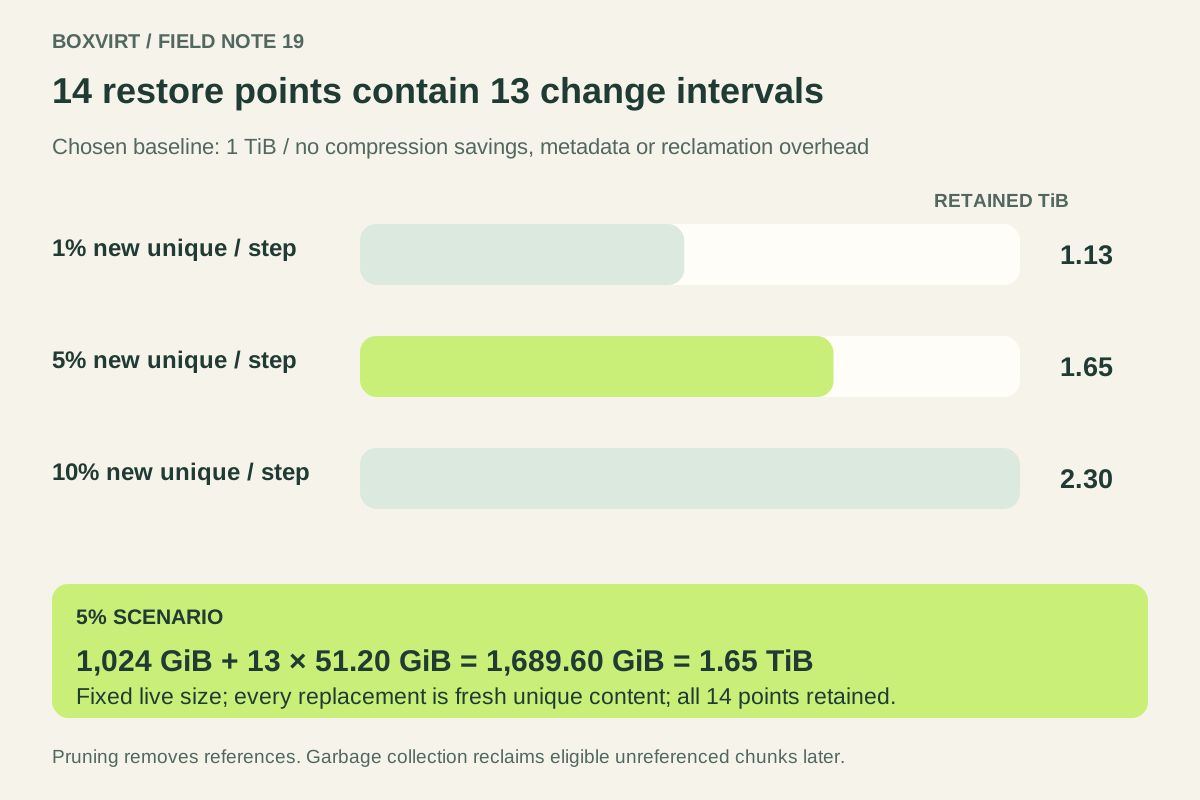
| 1% of baseline | 10.24 GiB | 1,157.12 GiB = 1.13 TiB |
| 5% of baseline | 51.20 GiB | 1,689.60 GiB = 1.65 TiB |
| 10% of baseline | 102.40 GiB | 2,355.20 GiB = 2.30 TiB |
At 5%, the count is 1,024 + 13 × 51.20, not 1,024 + 14 × 51.20:
the first of the 14 points is already the baseline. Fourteen independent,
uncompressed full copies would instead contain 14 TiB of payload. Neither
comparison includes storage overhead.
Why can storage grow while the live dataset stays at 1 TiB? A point from before a replacement still needs the older version. Replacing the same region each day with fresh unique content can retain many historical versions; deleting that region from today’s source does not erase its retained history.
Count retained chunks, not just labels on retention rules
A small model makes the dependency explicit. Begin with 100 equal chunks. At
each interval, replace five positions with five never-before-seen chunks and
keep every point. After 14 points, the union contains
100 + 13 × 5 = 165 unique chunks, even though each point references 100.
If replacements reuse existing content, the union can be smaller. Compression, chunk boundaries and other workloads sharing chunks change the physical result. If you keep only sparse weekly points, intervening versions need not all survive. The simple formula therefore applies only to the stated retained-point model.
A combined “daily, weekly, monthly” policy is not safely modeled by adding the labels and multiplying by one full size. Determine which dated points actually survive, how their content overlaps, and whether the backup product treats tiers as independent copies. Use a product retention preview where available before changing a real policy.
Add space for work that has not been reclaimed
PBS maintenance documentation separates pruning snapshot metadata from garbage-collecting unreferenced chunks. Referenced chunks remain necessary even when another snapshot using them was pruned. Eligible unreferenced chunks are reclaimed subject to GC’s safety cutoff and grace period, so pruning does not promise an immediate free-space increase.
Plan enough room for the next backup and for temporary unreclaimed data. Do not shorten retention blindly when capacity is tight: first inspect task results, pending removals and which recovery points must be preserved. Capacity pressure is not a reason to bypass the product’s deletion safeguards.
For illustration, add a chosen 15% working allowance to the 5% scenario:
1,689.60 GiB × 1.15 = 1,943.04 GiB = 1.8975 TiB
That means extra capacity equal to 15% of the modeled payload. It is not the
same as reserving 15% of the final device: that alternative would divide by
0.85, producing about 1,987.76 GiB. Neither number is a recommended minimum.
Actual metadata, growth and unreclaimed work still need to fit within your
chosen total budget or be added separately.
Replace assumptions with a retention-window observation
Record datastore used and free space before and after completed backups, after pruning, and after GC. Track source growth, retained point dates and unusually large rewrites alongside those readings. Use a full retention cycle when possible; a quiet first day does not represent the next database rewrite or media import. PBS’s storage documentation provides the datastore context for these observations.
Maintain low, expected and high scenarios from your observations. Ask whether free space covers the next plausible large run before reclamation completes. Separately allow capacity for an independent recovery copy and any isolated restore target; neither is included in this single-datastore model.
The ZFS capacity worksheet estimates the underlying pool budget; it does not predict retained backup chunks. The backup transfer-time guide handles the transfer stage, where uploaded bytes can differ from both logical snapshot size and newly occupied physical space.