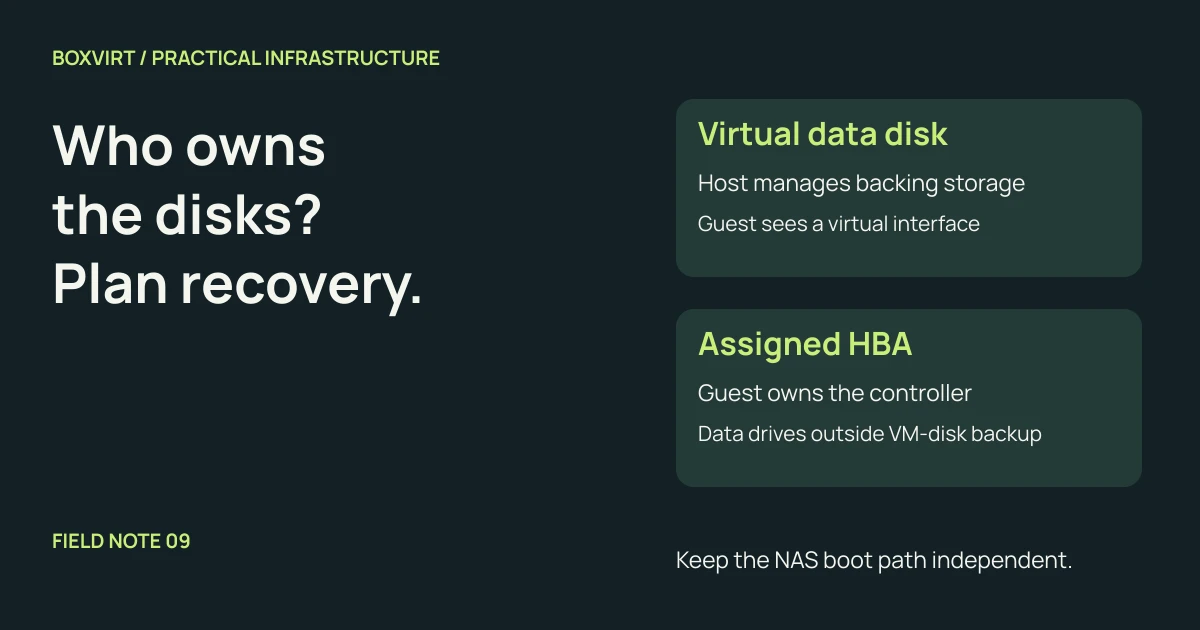
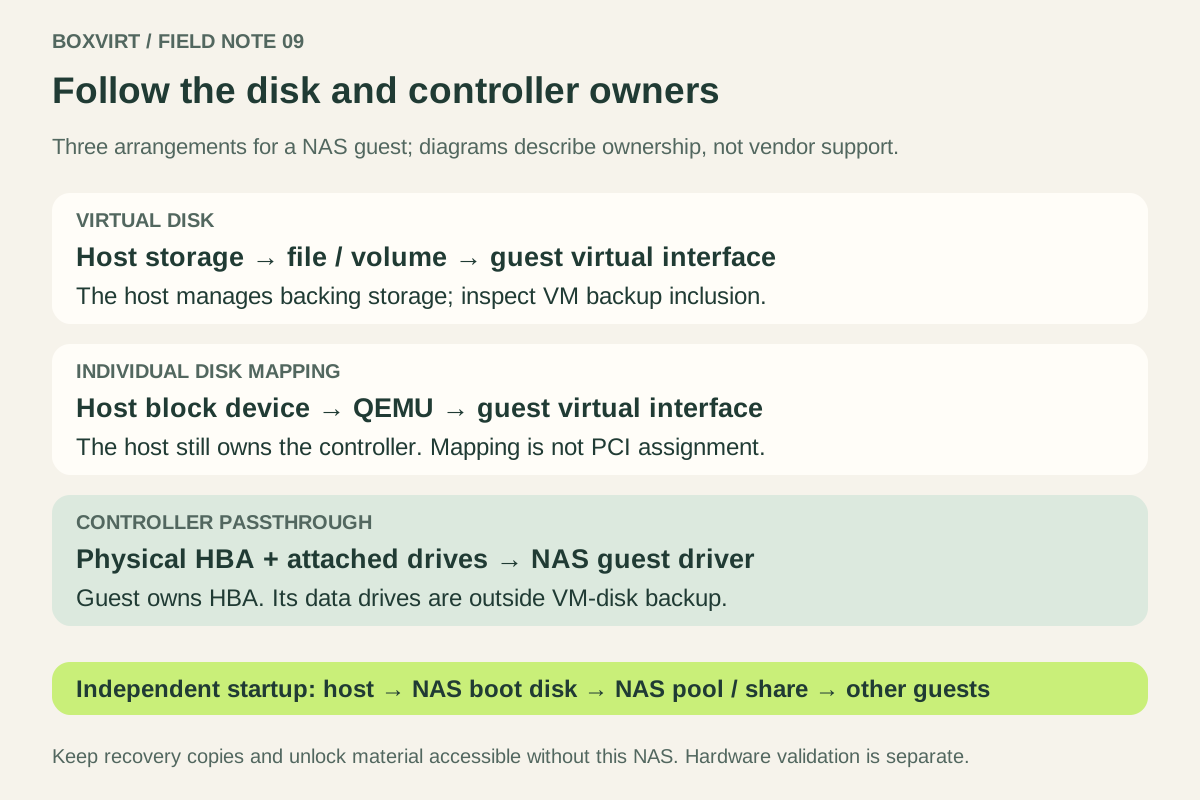
For a disposable TrueNAS lab, virtual data disks can be convenient. For data you need to keep, evaluate passing a supported storage controller to the VM and check the vendor’s deployment guidance. Mapping individual physical disks through QEMU is a third arrangement: it does not give the guest control of their HBA.
The important decision is who owns the storage hardware and how you recover when the host is unavailable. This guide uses TrueNAS on Proxmox VE as its example. It is an architecture comparison, not a tested passthrough installation procedure or a statement that every NAS operating system has the same requirements.
Separate the three meanings of “disk passthrough”
| Arrangement | What the NAS guest uses | What to investigate |
|---|---|---|
| Virtual disk | A virtual block device backed by a host-managed file or volume | Backing storage, disk identities and which VM disks are included in backup |
| Individual physical disk mapping | A virtual disk interface backed by a particular host block device | Exclusive use of the disk, guest visibility and host-side mapping |
| Controller PCI passthrough | The physical controller and its attached drives, using a guest driver | Hardware compatibility, IOMMU isolation and controller ownership |
The QEMU block driver reference documents using a host device in place of an image file. That changes the backing device; it does not turn a virtual disk interface into an assigned PCI controller. Do not let the host and guest independently write to the same filesystem or pool.
For a mapped disk, do not assume that the guest receives every hardware command, identity or health measurement available through the real controller. Verify what your exact configuration exposes. A familiar disk size in the guest proves very little about that boundary.
Read the TrueNAS recommendations with their scope intact
The TrueNAS 25.10 hardware guide discourages regular virtualized deployment for production or critical data and describes virtual data disks as a proof-of-concept arrangement, with a warning about unsupported configurations and possible corruption.
The vendor’s more specific virtualization guidance, published in April 2023, recommends PCI passthrough of a TrueNAS-supported HBA for important data. It distinguishes virtual boot disks, which it permits, from virtual disks used for the data pool. It also treats personal files you care about as important data; “homelab” does not make family photos disposable.
These sources use different language about production virtualization. Treat HBA passthrough as an architecture to evaluate, not an automatic support entitlement or a guarantee against loss. Check the documentation and support terms for the release and hardware you intend to use. Avoid copying the older blog’s OS-version or sizing examples into a current installation without checking them.
Give the controller one owner
Under ordinary full PCI passthrough, the assigned controller belongs to the guest. The host cannot also use it for its own storage. The Proxmox PCI passthrough documentation states that ownership restriction and requires appropriate IOMMU support and device isolation.
Before choosing a card or motherboard, answer these questions:
- Which controller serves the host boot disk and the NAS boot virtual disk?
- Which physical ports and disks belong to the proposed guest controller?
- Does its IOMMU group contain another device the host needs?
- Is the controller, firmware and guest driver combination supported?
An onboard SATA controller may serve more ports than you expected. If it also holds the host’s boot storage, assigning it to the NAS conflicts with the design. Choose hardware that provides the needed separation rather than assuming a passthrough workaround will provide it. Do not treat a hardware RAID virtual volume or a USB enclosure as equivalent to a supported HBA exposing its drives.
Draw a boot dependency chain before adding shares
Consider this illustrative layout, not a hardware recommendation:
| Component | Proposed location | Depends on the NAS share? |
|---|---|---|
| Proxmox installation | Separate host storage | No |
| NAS VM definition and boot virtual disk | Host-managed storage available at startup | No |
| NAS data pool | Drives on the guest’s assigned HBA | No network share needed to start the NAS |
| Another VM’s data disk | An NFS share exported by the NAS | Yes |
| Recovery documents and independent copies | Storage accessible without this NAS | No |
The intended startup order is host → NAS boot disk → NAS pool and share → dependent guests. A dangerous variation puts the NAS VM’s own boot disk on the share that this same VM must start to provide. Mark that cycle on the drawing and remove it from the plan.
For each dependency, ask what happens after a complete shutdown. Can you reach the host, start the NAS and unlock its data without a service stored behind that same dependency? Record the answer, including where credentials are available.
Check what a VM backup can actually contain
A backup of the NAS boot virtual disk is useful, but it is not a copy of the data behind an assigned HBA. Those data drives are outside the host’s virtual disk backup path. Keep NAS configuration recovery and NAS data recovery explicit.
The Proxmox backup documentation describes VM backup modes and their consistency tradeoffs. For ordinary virtual disks, inspect backup inclusion and the resulting archive. For individual disk mapping, investigate the exact backup and restore behavior; neither assume that it is excluded nor that restoring it recreates the original physical mapping.
The TrueNAS configuration backup guidance explains exporting the configuration with its password secret seed and securing the result. Keep required dataset encryption keys or passphrases accessible independently too. The configuration secret seed and dataset unlock material serve different purposes; do not assume that saving one replaces the other.
Our Proxmox backup and restore checklist helps turn those separate copies into a recovery exercise. A successful job status alone does not show that the NAS shares can be recovered.
Plan a host failure, not just a guest reboot
An HBA assignment ties the VM to physical resources. Do not design around moving this running NAS to another node with ordinary live migration. The Proxmox migration documentation identifies passed-through devices as local migration constraints; experimental support for certain other device types is not a promise for your storage HBA.
Complete this worksheet before the NAS holds its only useful copy:
| Failure or change | Evidence to have ready |
|---|---|
| Host boot storage fails | Available VM definition, NAS configuration and a documented rebuild path |
| Host motherboard fails | A candidate recovery machine, controller compatibility and enough drive connections |
| Controller fails | Replacement compatibility and an inventory linking drives to physical bays |
| NAS data is deleted or damaged | An independent recoverable copy, separate from merely restarting the VM |
| Encrypted datasets remain locked | Required unlock material obtainable without the failed NAS |
| NAS restarts after an outage | A verified order for starting shares and their dependent guests |
These are validation targets, not results claimed for this example. Rehearse recovery on an isolated setup before trusting the plan with irreplaceable data. Once storage ownership and recovery dependencies are settled, choose the pool layout separately: the RAIDZ2 versus mirrors comparison explains that decision without confusing redundancy with backup.
When comparing host-managed backing storage, the Directory, LVM-Thin and ZFS guide separates the Proxmox backend from the physical disks beneath it.