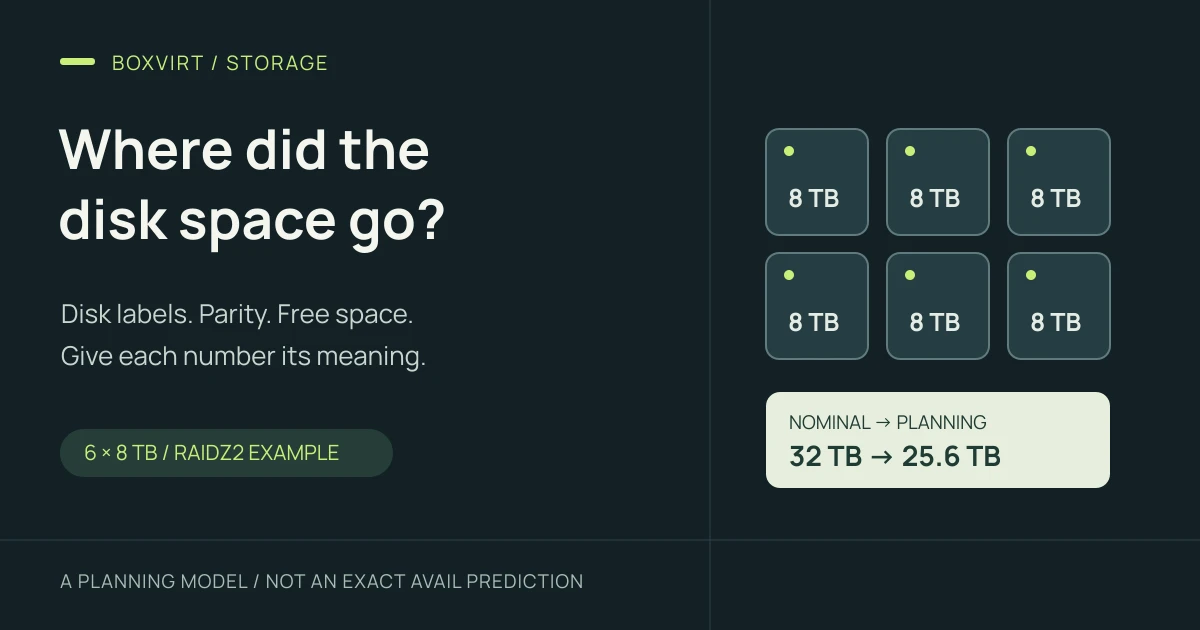
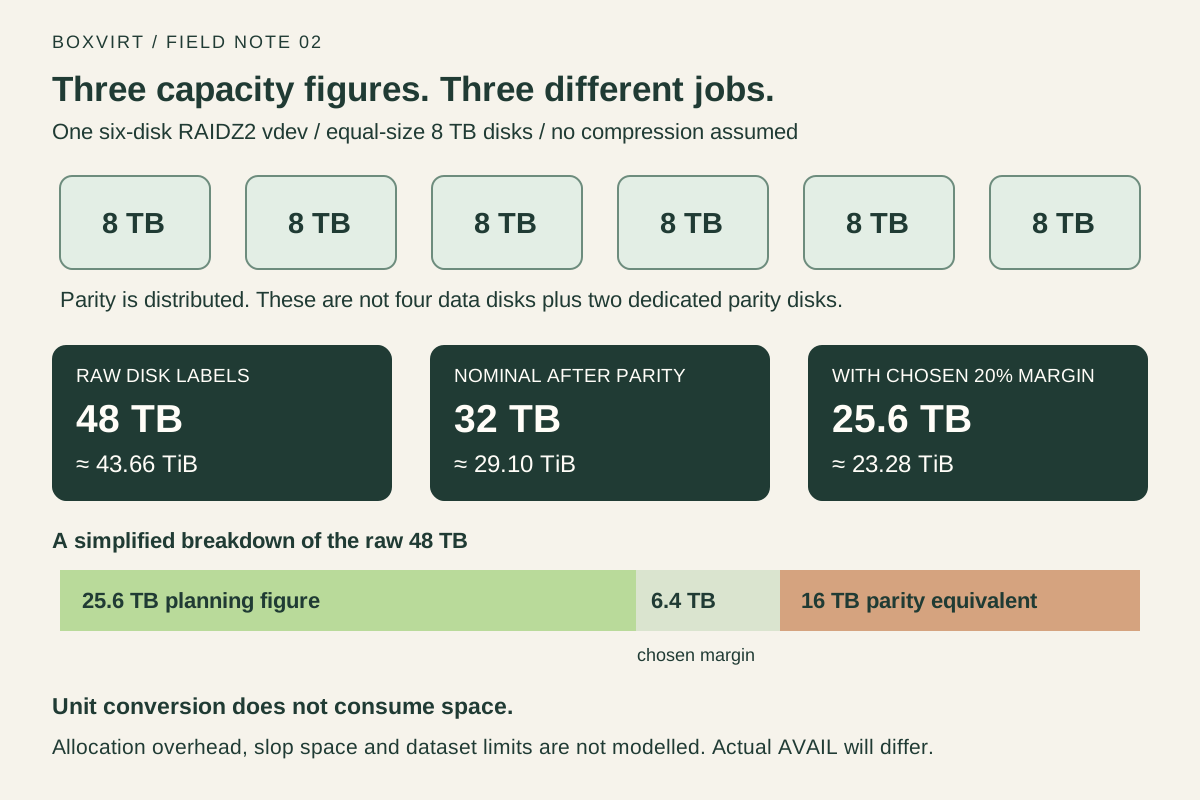
Six disks labelled 8 TB provide 48 TB of raw capacity. In one six-disk RAIDZ2 vdev, the simple capacity model leaves 32 TB, or about 29.10 TiB, after parity. Choose a 20% planning margin and that model gives 25.6 TB, or about 23.28 TiB, before filesystem and allocation effects.
Those figures answer different questions. Raw capacity describes the disks; nominal capacity accounts for the redundancy layout; the planning figure leaves a chosen margin. The space available to a particular dataset is another number again. Keeping those distinctions clear makes a ZFS estimate useful.
Start with bytes: TB and TiB describe the same storage differently
One terabyte is 1,000,000,000,000 bytes. One tebibyte is 1,099,511,627,776 bytes, or 2 to the power of 40. The NIST binary-prefix reference defines the distinction.
An 8 TB disk therefore contains about 7.28 TiB of advertised capacity. Converting units changes the number, while the underlying byte count stays the same.
TiB = TB × 1,000,000,000,000 ÷ 1,099,511,627,776
48 TB ≈ 43.66 TiB
32 TB ≈ 29.10 TiB
Compare figures in the same units before looking for missing space. In particular, 32 TB and 32 TiB are different amounts: the latter is about 35.18 TB. Round only the final displayed result.
Account for parity in each vdev
For equal-size disks in one RAIDZ vdev, the first approximation is:
Nominal capacity = (number of disks − parity level) × capacity per disk
RAIDZ2 example  = (6 − 2) × 8 TB = 32 TB
The OpenZFS pool concepts manual describes this as an approximation. RAIDZ2 distributes double parity across the vdev; the two-disk subtraction is a capacity equivalent, rather than two physical disks set aside exclusively for parity.
Count parity separately for every vdev. Eight equal 8 TB disks illustrate why the arrangement matters:
| Arrangement | Raw capacity | Nominal capacity after parity |
|---|---|---|
| One eight-disk RAIDZ2 vdev | 64 TB | (8 − 2) × 8 = 48 TB |
| Two four-disk RAIDZ2 vdevs | 64 TB | 2 × (4 − 2) × 8 = 32 TB |
This comparison isolates nominal capacity. It does not establish which layout will perform better for your workload. Keep spares and dedicated log or cache devices out of the active data-disk count; they do not add ordinary data capacity in this model.
Apply a planning margin without calling it filesystem overhead
For the six-disk example, choosing to leave 20% of the nominal figure unassigned gives:
Chosen headroom = 32 TB × 0.20 = 6.4 TB
Planning figure = 32 TB × 0.80 = 25.6 TB ≈ 23.28 TiB
Here is the complete calculation in both units:
| Stage | Decimal capacity | Binary equivalent | What it means |
|---|---|---|---|
| Six disk labels combined | 48 TB | 43.66 TiB | Raw advertised capacity |
| After nominal RAIDZ2 parity | 32 TB | 29.10 TiB | Approximation before other effects |
| With the chosen 20% margin | 25.6 TB | 23.28 TiB | Planning figure, not a prediction of dataset AVAIL |
The margin is an input to your plan. It is not a claim that ZFS always consumes 20% in metadata, nor a universal safe occupancy limit. Actual requirements depend on the workload and pool. A nominal estimate also leaves out partitioning, allocation padding and other on-disk details.
ZFS additionally keeps emergency space for internal operations, commonly called slop space. Its implementation has version-dependent details and limits; see OpenZFS’s module-parameter documentation. That mechanism and a user-chosen planning margin have different purposes. This calculation does not model slop space or tell you to change its settings.
Treat 25.6 TB as a preliminary budget to refine, rather than a promise that 25.6 TB of files will fit while preserving exactly 20% free on the real pool.
Reproduce the estimate in the Boxvirt calculator
Open the RAID / ZFS capacity calculator and set:
- Layout: ZFS RAIDZ2.
- Total data disks: 6; capacity per disk: 8.
- Input units: TB (decimal).
- Equal-width RAIDZ vdevs: 1.
- Planning reserve: 20%.
It displays 48 TB / 43.66 TiB raw, 32 TB / 29.1 TiB nominal, and 25.6 TB / 23.28 TiB with the planning reserve. The tool deliberately separates the last two figures. It assumes no compression and lists the effects it omits.
For the eight-disk comparison, enter eight disks and switch the vdev count between one and two. The parity deduction changes with the number of groups. Changing the unit selector to TiB changes the input capacity itself; use TB when reproducing the disk-label example.
Why the installed pool can show another number
An estimate starts from an empty layout. An installed system also has existing allocations and dataset rules. Check which layer a displayed number describes:
| Figure | Question it answers |
|---|---|
| Pool SIZE, ALLOC and FREE | What is the pool’s allocation state? |
| Dataset AVAIL | How much is available to this dataset under its current constraints? |
| File or guest-visible size | How much logical content or virtual storage does the application see? |
OpenZFS’s pool properties manual explains that pool FREE is not adjusted for RAIDZ parity and other factors that affect dataset availability. Avoid treating it as an interchangeable figure with dataset AVAIL.
Dataset availability is also affected by other datasets, quotas and reservations.
Snapshots can retain blocks after files change or disappear. Shared blocks mean
that adding individual snapshot USED values does not necessarily give the space
that deleting every snapshot would release. The dataset’s usedbysnapshots
property answers that latter accounting question. See the
dataset properties manual
for the definitions.
Compression can also make logical file sizes differ from allocated storage. Leave it out of an initial purchase calculation unless you have representative measurements. A capacity estimate should not depend on an assumed compression ratio that your data may never achieve.
Investigate a mismatch with read-only queries
First compare the pool and dataset in exact numeric output. These are documented, read-only examples for an existing ZFS system. No output from a Boxvirt pool is presented here, and the commands do not create or change a pool.
zpool list -p -o name,size,allocated,free
zfs list -p -o name,used,available,referenced,mountpoint
The -p option avoids human-readable size rounding. Check the documented
pool listing
and dataset listing
options against the manual installed with your OpenZFS release.
If one dataset has unexpectedly little space, inspect its limits and retained
snapshot space. Replace tank/data with the actual dataset name:
zfs get -p -o name,property,value,source quota,refquota,reservation,refreservation,usedbysnapshots tank/data
The property-query manual describes the fields, including whether a value is local, inherited or a default. Inspect parent quotas too: an ancestor’s limit can constrain a child even when the child has no quota of its own. Compare the results before considering a configuration change; removing a reservation or snapshot can affect another purpose that the capacity worksheet does not show.
Turn the estimate into a capacity worksheet
Keep these entries together when deciding whether a pool will meet your needs:
- Disk and topology inputs: active disk count, smallest usable member size, units, vdev count and parity level. Keep the layout with the number.
- The nominal estimate: enough detail for someone else to reproduce it.
- Your operating margin: the percentage chosen and why it suits the planned workload; keep omitted overhead visible rather than hiding it in that label.
- Space consumers: current data, expected growth, retained snapshots and dataset or volume reservations. Separate logical payload estimates from observed ZFS accounting, and avoid counting the same reservation twice.
- An observation after deployment: pool and dataset values, date, workload and relevant settings. Refine the estimate from real behaviour.
If the estimate only just fits the planned data, the omitted effects deserve attention before a migration. Capacity on the primary pool also leaves the independent backup destination to plan. The Proxmox backup and restore checklist helps identify what needs a recoverable copy; parity alone does not provide one.