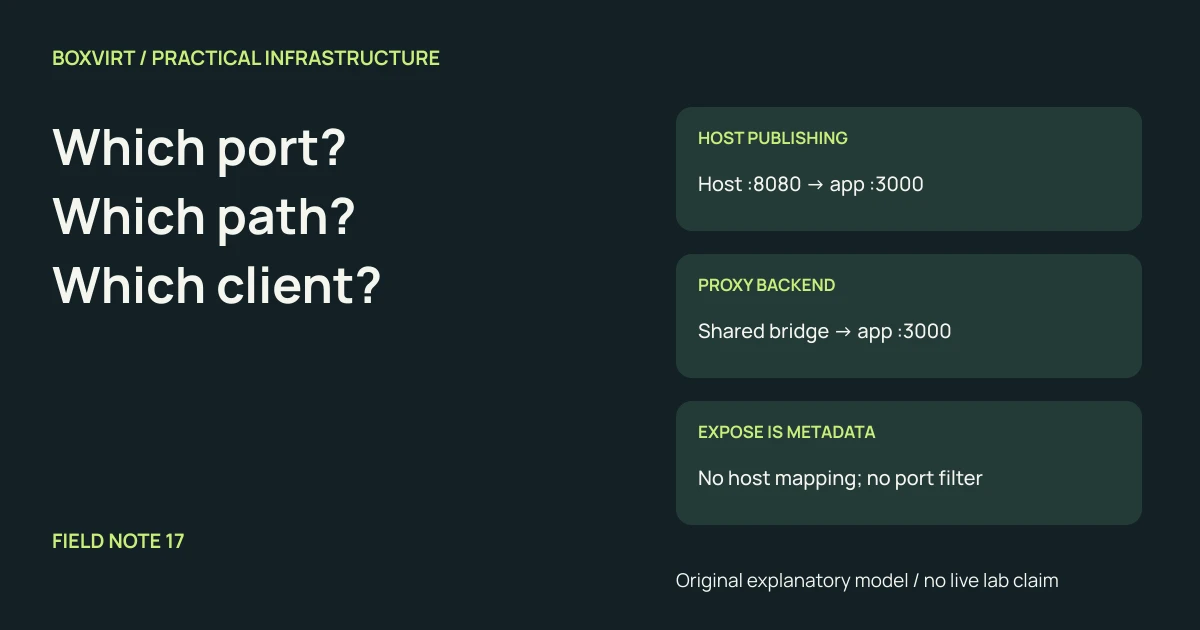
Docker ports creates a host-port mapping. Dockerfile EXPOSE and Compose
expose describe container ports; they do not create that mapping or restrict
which ports peers can reach. A reverse proxy on a shared Docker bridge network
can contact a listening backend directly, without publishing the backend’s port
on the host.
The useful question is which client can reach which listener by which path? Trace that path rather than treating the word “exposed” as an access policy. This explanation assumes ordinary Docker Engine bridge networks on Linux; host networking, macvlan, Swarm and deliberate direct-routing configurations need their own review. No running deployment was changed to produce this guide.
Read a mapping from the client toward the container
Under the default NAT bridge model, consider these illustrative Compose entries:
| Declaration | Client destination | Container destination | Intended interpretation |
|---|---|---|---|
ports: ["8080:3000"] | Host port 8080 | App port 3000 | No explicit host address; normally binds all host addresses |
ports: ["127.0.0.1:8080:3000"] | Host IPv4 loopback port 8080 | App port 3000 | Intended for callers in the host network namespace |
expose: ["3000"], no ports | No mapping created by this entry | App port 3000 | Port declaration, not a host listener |
| Neither declaration | No mapping created | Any actual app listener | Same-network peers may still reach the app |
These are fragments to interpret, not a runnable application configuration. Docker’s port-publishing reference documents host-address selection and the normal all-address default. A deployment may override that default. The same reference warns that Docker versions before 28.0.0 allowed same-L2 hosts to reach ports published to localhost. Verify the installed release and actual reachability before relying on loopback isolation.
A host loopback mapping is also distinct from the app’s own bind. Inside the
container, an app listening only on 127.0.0.1:3000 is listening on that
container’s loopback. A proxy in a different container normally needs a listener
on an appropriate container interface. Publishing the port does not change the
application’s bind address.
EXPOSE describes a port; it does not start or filter a service
The Dockerfile EXPOSE reference
defines image metadata about expected ports and protocols. It neither launches
the application nor publishes a port by itself. Publish-all behavior such as
-P can use that metadata, so it is useful information with effects in some
workflows, rather than an access-control boundary.
Compose’s service reference
likewise distinguishes expose from ports. Removing expose: ["3000"] is
not a way to deny peers access to a service already listening on port 3000.
Nor does listing only port 3000 prove another listener at 9000 is inaccessible.
Docker’s bridge-network documentation describes connectivity between containers on the same user-defined bridge. Treat membership in a shared proxy network as a connectivity decision. Avoid putting unrelated databases and administrative backends on it merely to make discovery convenient.
Follow one HTTPS request through the proxy
Choose this illustrative design:
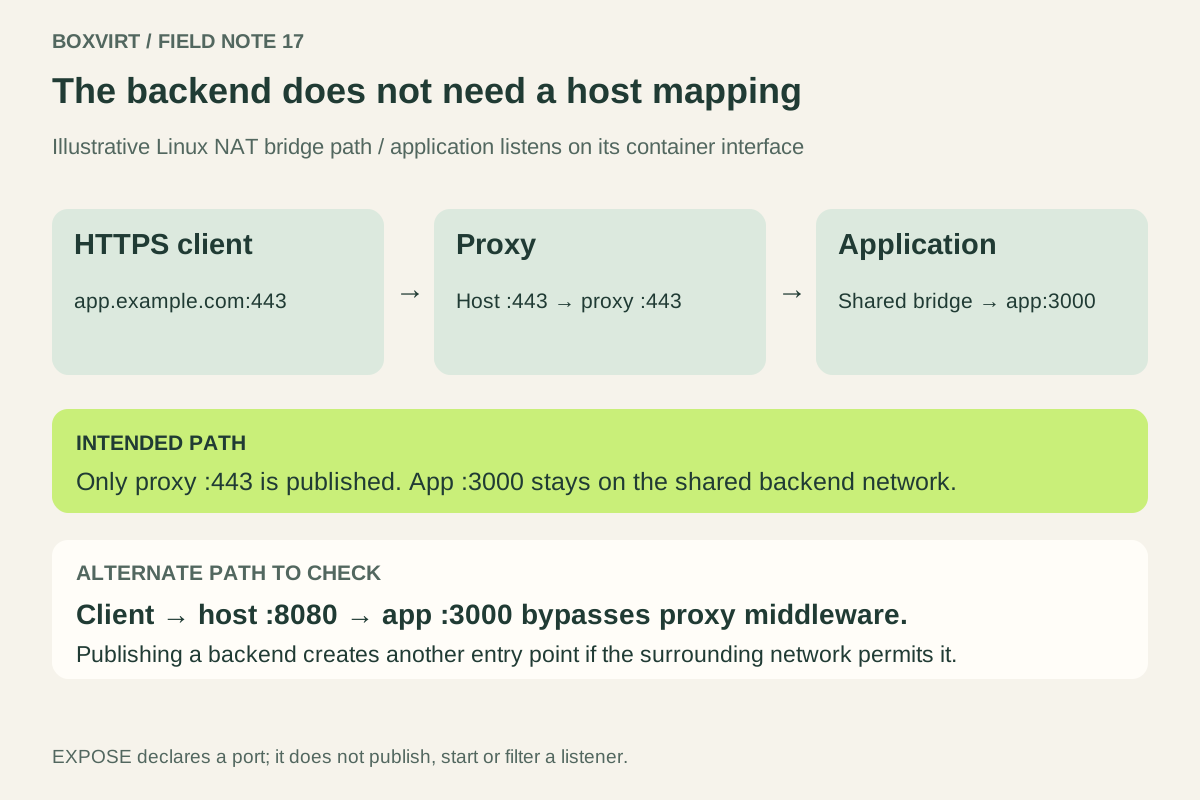
- The client resolves
app.example.comto the intended frontend address. - The request reaches host TCP 443, published to the proxy’s HTTPS listener.
- The proxy matches the hostname and chooses backend
app:3000. - The proxy connects over a bridge network shared with
app. - The app listens on its container network interface at TCP 3000 and replies.
Only the proxy’s frontend needs a published host port for this path. The backend has no host mapping. DNS, upstream routing and external firewall policy still determine whether the client reaches the frontend at all.
Compose service discovery uses service names within the relevant networks. A service name is not a public DNS record. If the proxy runs in another Compose project, plan a deliberately shared network and unambiguous names rather than assuming both projects’ default networks are connected.
Traefik’s Docker routing reference describes backend port and network selection. A routing label does not create the underlying network path. Explicit selection is useful when a container has multiple networks or listener ports. The Traefik HTTPS guide covers that setup separately; this worksheet does not repeat certificate issuance.
Find a path that bypasses the proxy
Suppose the frontend requires authentication, but the app also publishes
8080:3000. A client that can reach host port 8080 may contact the app without
traversing the proxy’s authentication middleware. The proxy’s policy applies
to requests that actually pass through it.
Complete this acceptance record for your own service:
| Origin and target | Expected result in the example |
|---|---|
| Authorized client → HTTPS hostname on 443 | Application through the proxy |
| External client → host port 8080 | No backend mapping and no alternate access path |
| Proxy → app service name on 3000 | Backend responds |
| Unrelated container network → app | No unintended direct route or shared membership |
Check IPv4 and IPv6 bindings separately. Docker’s firewall integration documentation also explains why published traffic can interact unexpectedly with host firewall tools such as ufw. A rule in a familiar host input chain is not sufficient evidence that every published Docker path is blocked. Keep Docker’s required networking rules intact while investigating.
Record the effective mappings, network membership, backend listener and observed response at each hop. A connection failure alone does not identify the failing hop. If the containerized service also stores data, finish the recoverable data-layout worksheet before treating the deployment as ready to recover.