Running Terraform in Docker gives your Proxmox automation a repeatable CLI environment. It does not remove the need to pin a compatible provider, verify the API certificate, protect state, and review destructive changes. Start with one disposable clone before giving the workflow access to important guests.
This guide covers the container and review workflow. It deliberately leaves VM resource syntax tied to your selected provider release: a configuration for one Proxmox provider is not interchangeable with another provider’s example.
Record the compatibility boundary
Keep a short manifest alongside the project: Proxmox release, Terraform image tag and digest, provider source and exact version, template ID, storage, node, bridge, and intended VM ID range. Validate that combination in a lab. Commit .terraform.lock.hcl with the configuration; do not commit state or secrets.
For example, the Telmate provider uses the source address Telmate/proxmox and exposes proxmox_vm_qemu. Other providers have different names and schemas. Read documentation for the version you pin, then run terraform providers schema -json when you need to inspect what the installed provider accepts. A successful validate checks configuration syntax and schema; it cannot prove the guest will boot.
Build and test the underlying cloud-init template independently first. That separates a broken guest image from a broken automation configuration.
Protect API access and TLS
Create a dedicated Proxmox API identity and scope it to the guest pool, storage, and operations the project needs. The provider’s example role is a starting point to evaluate, not a reason to grant every project cluster-wide administrator access. Check both user and token permissions when using privilege-separated tokens.
Telmate documents PM_API_TOKEN_ID and PM_API_TOKEN_SECRET as authentication environment variables. Load them from your secret manager or a protected local session. Do not type a literal secret into a command that shell history will retain. Environment variables still remain visible to sufficiently privileged processes on the runner.
Use a hostname covered by the API certificate. Configure a trusted certificate or explicitly trusted private CA; see Proxmox ACME certificates. Keep the provider’s certificate verification enabled; fix the hostname or trust chain instead of bypassing TLS checks.
Run a pinned image with persistent project files
Set TF_IMAGE to the exact approved hashicorp/terraform image reference, preferably including its digest. Supply a version you have checked for compatibility rather than using a moving latest tag. On a Linux workstation, this wrapper mounts only the project and passes token variables by name:
: "${TF_IMAGE:?Set an approved Terraform image reference}"
umask 077
tf() {
  docker run --rm \
    --user "$(id -u):$(id -g)" \
    --env HOME=/tmp \
    --env PM_API_TOKEN_ID --env PM_API_TOKEN_SECRET \
    --mount "type=bind,source=$PWD,target=/workspace" \
    --workdir /workspace \
    "$TF_IMAGE" "$@"
}
tf version
This is a shell function to run locally, not a command to run on the hypervisor. The project directory persists when the container exits. Docker socket access is unnecessary inside the Terraform container. If you use a private CA, build or mount a trusted CA bundle for this runtime using the chosen image’s supported trust mechanism.
Exclude sensitive local artifacts from version control:
.terraform/
*.tfstate
*.tfstate.*
*.tfplan
*.tfvars
*.tfvars.json
crash.log
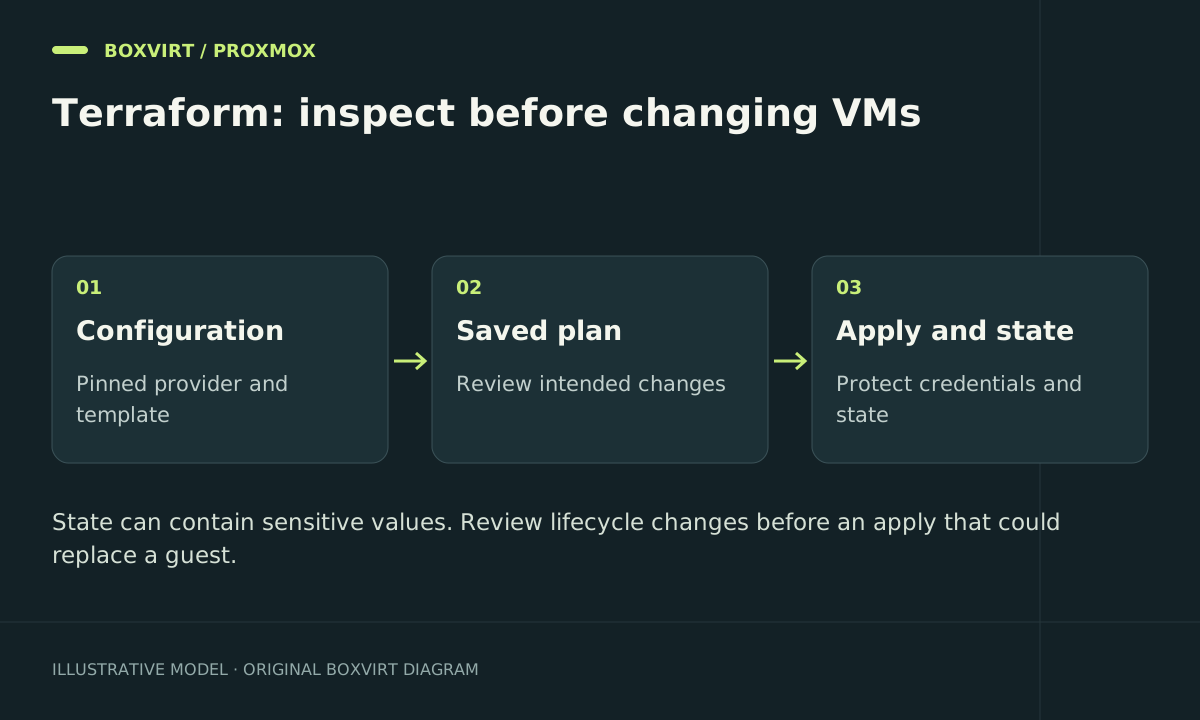
Use a remote backend with access control, encryption, and locking when several people or runners work on the same state. Local state still needs a protected recovery copy. Terraform’s sensitive flag reduces display exposure but does not automatically keep values out of stored state or plans.
Review a saved plan, then execute it
From the project containing your release-matched provider and VM configuration:
tf init
tf fmt -check
tf validate
tf plan -out=reviewed.tfplan
tf show reviewed.tfplan
Check the target node, disk allocation, bridge, clone source, and every destroy or replacement. Inspect the plan privately. After approving that exact result:
tf apply reviewed.tfplan
Applying a saved plan executes it without another interactive approval. If your configuration, credentials, or target environment changes materially, generate a fresh plan and review it again.
Verify the guest and handle partial failures
Inspect the created VM in Proxmox, confirm its disks and network, and check first-boot completion inside the guest. Test SSH and an actual application request. Terraform reporting success only describes its resource operations.
After a failed apply, compare the state with the API and task logs before retrying. A rollback is a new infrastructure change; Terraform does not automatically undo every completed operation. Do not delete the state file to make an error disappear, and do not use a broad destroy as a substitute for diagnosing one failed clone.
Frequently asked questions
Does deleting the container delete Terraform state?
Only data kept exclusively inside that container disappears. This wrapper persists the working directory; the configured backend determines where state is stored.
Should I run Terraform as root inside Docker?
The example uses your Linux UID and GID so generated files remain owned by you. The runner still needs enough permissions for the project mount and network access to the API.
Can I reuse a configuration from another Proxmox provider?
Not without adapting and reviewing it. Provider resource names, authentication settings, disk models, and import behavior can differ.
Is a VM snapshot enough before an automated change?
A snapshot can help with some guest changes, but it does not protect against losing the storage or state. Keep an independent backup and restore procedure for important guests.