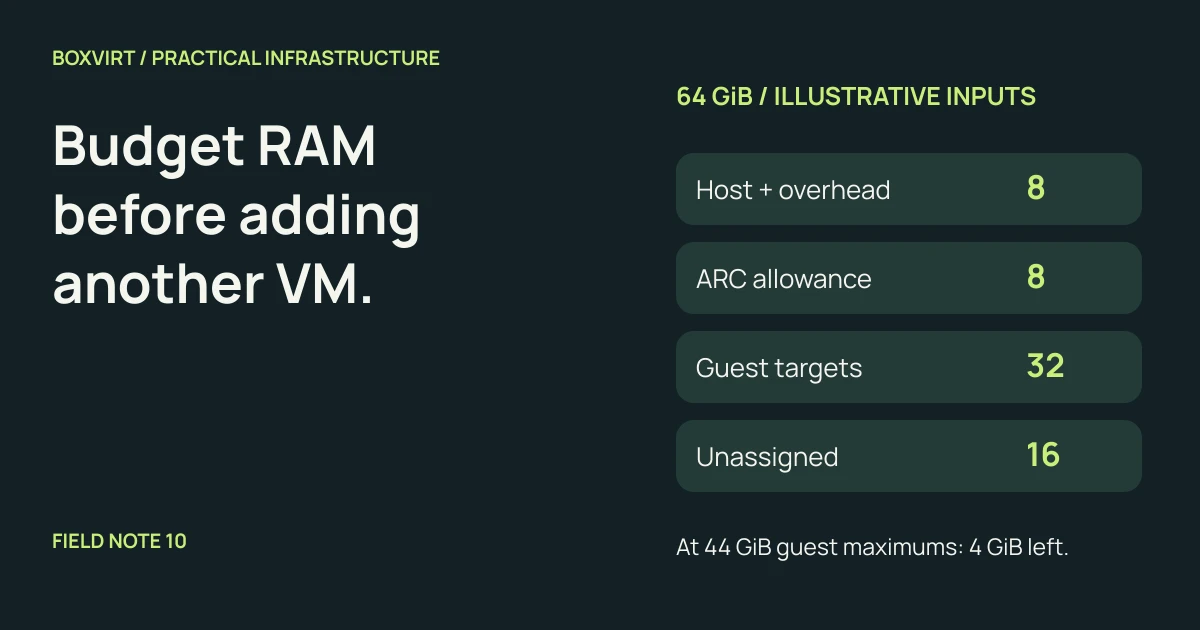
Budget a Proxmox host’s RAM in four parts: host services and overhead, storage cache, guest requirements, and unassigned capacity. Check that budget against both the workloads you expect to run together and their configured maximums. An idle dashboard cannot tell you whether the next busy VM will fit.
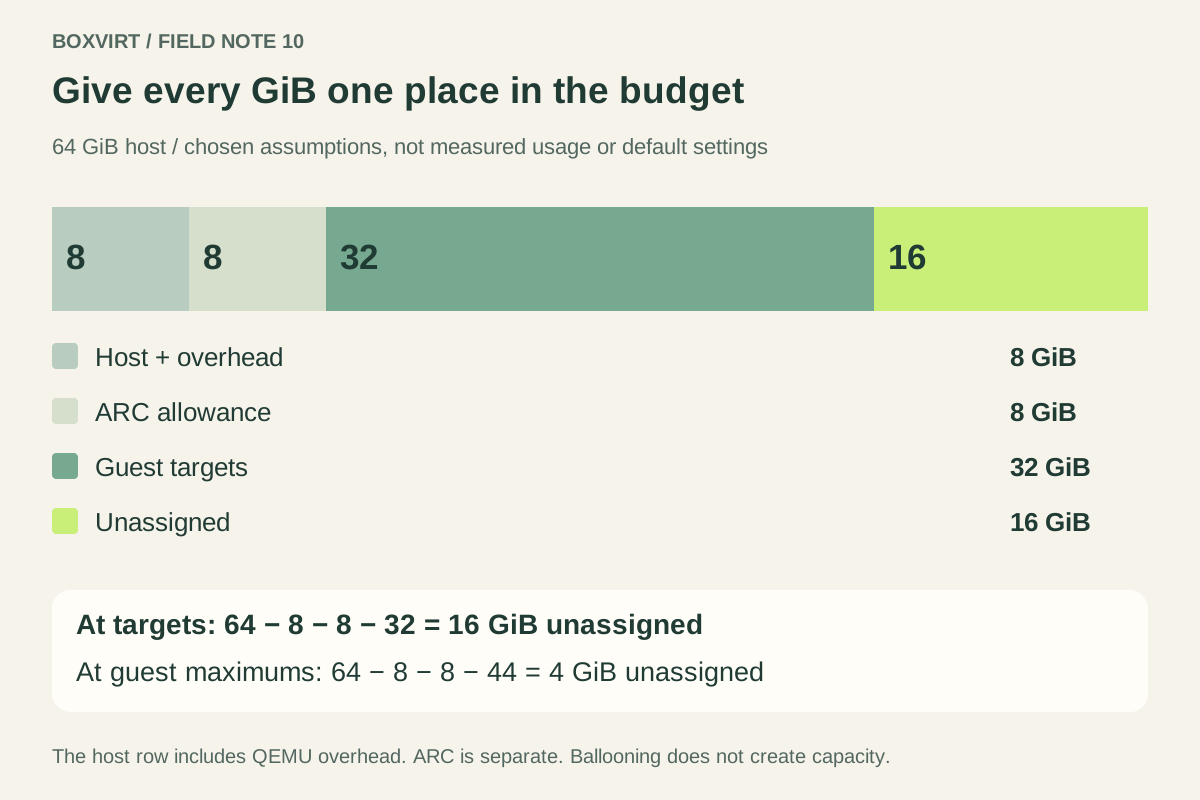
This worked example divides 64 GiB into 8 + 8 + 32 + 16 GiB. Those are chosen planning assumptions, not measurements or recommended defaults. The useful result is a worksheet you can replace with your own workload requirements. For the wider hardware and service plan, start with the Proxmox homelab planning guide.
Separate guest settings from application demand
Record three numbers for each VM:
- Configured minimum and maximum: the bounds used by its memory setup.
- Operating target: the guest RAM you intend to provide during the workload you actually care about, including its operating system and useful caches.
- Observed demand: evidence gathered inside the guest over representative activity, rather than one quiet sample.
The operating target starts as an assumption for a new service. Replace it with evidence once the service runs. Include simultaneous activity: a database import and an application update might overlap even if their usual graphs look quiet. An application heap limit alone does not cover its guest OS and other processes.
With fixed allocation, Proxmox uses matching memory and minimum-memory values. With automatic allocation, a lower minimum allows adjustment toward the maximum when host resources permit. The Proxmox VM memory documentation describes these modes and the guest balloon driver they depend on.
Ballooning moves memory between guest and host; it does not create capacity. Reclaim can force a guest to swap or terminate processes under pressure. Verify the appropriate driver and guest behavior before relying on it. A configured minimum is therefore a resource setting, not proof that the application performs acceptably at that size. The node’s ballooning target is also not a personal reserve assigned to every VM.
Write down a complete 64 GiB budget
Assume a single host with local ZFS and four VMs. This example excludes Ceph, deduplication and additional host applications; each would need its own review. Use GiB consistently: 1 GiB = 1,073,741,824 bytes.
| Budget item | Assumed amount | What it covers |
|---|---|---|
| Host and virtualization overhead | 8 GiB | Host OS, Proxmox services, QEMU overhead and an operating allowance |
| ZFS ARC allowance | 8 GiB | A separate cache allowance for this model |
| Guest operating targets | 32 GiB | The four targets listed below |
| Unassigned capacity | 16 GiB | Growth and temporary demand not already budgeted |
| Total | 64 GiB | Every GiB counted once |
The host row includes virtualization overhead, which sits outside guest RAM. The ARC row is separate, so the host row must not also include those same cache bytes. The 8 GiB ARC allowance is an input to evaluate, not an assertion that a default installation enforces it or that every workload needs this amount.
| Illustrative guest | Operating target | Planned maximum |
|---|---|---|
| Database VM | 12 GiB | 12 GiB |
| Application VM | 8 GiB | 12 GiB |
| Utility VM | 8 GiB | 12 GiB |
| Temporary lab VM | 4 GiB | 8 GiB |
| Total | 32 GiB | 44 GiB |
The names describe hypothetical roles, not application sizing recommendations. The database is fixed at 12 GiB; the other guests have room to grow if their memory configuration and guest support allow it.
Now compare two cases:
At operating targets: 64 − 8 host − 8 ARC − 32 guests = 16 GiB unassigned
At guest maximums:    64 − 8 host − 8 ARC − 44 guests =  4 GiB unassigned
The second line exposes the tradeoff: promising all 44 GiB to guests consumes 12 GiB of the original growth margin. You cannot also promise that same 12 GiB to a new VM. Neither line proves performance or admission safety if the host overhead or storage requirements turn out larger than assumed.
Treat ARC as useful memory with reclaim behavior
ZFS ARC caches data and metadata in host RAM. It is neither guest memory nor a second pool of physical RAM. The Proxmox ZFS documentation describes an installer-set ARC limit for new installations from Proxmox VE 8.1 onward: 10% of physical memory, capped at 16 GiB. An older or modified installation can differ; confirm the installed version and effective settings.
The OpenZFS parameter reference documents version-dependent upstream defaults and ARC reclaim behavior. A cache can shrink under pressure, but do not treat every currently cached byte as instantaneously available to a new allocation. Storage performance can change when useful cached data is evicted.
Choose the allowance from the workload and storage design, then validate it. Multiplying disk capacity by one universal RAM-per-terabyte number cannot size an entire virtualization host. Disk capacity has its own worksheet in the ZFS usable capacity guide.
Check the scope of every memory graph
A guest’s memory display, a QEMU process total and host memory usage describe different scopes. Do not add them together: some bytes would be counted twice. Nor does a large “used” number alone establish harmful pressure; identify caches, application demand and the metric’s definition.
For containers, the Linux cgroup v2 documentation distinguishes group usage from limits and records that a group can encounter its own memory limit. A host with spare RAM does not automatically remove that constraint. Parent totals also include descendants, so summing parent and child usage duplicates memory. Keep container budgets alongside VM budgets without treating their accounting as interchangeable.
Budget for the host that will receive a failed node’s guests
For a cluster, repeat the worksheet after a node is unavailable. Add the guests that could move to each surviving host, respecting placement restrictions. Cluster-wide unused RAM is not enough if the required guests cannot fit on their eligible destinations. The Proxmox HA scheduling documentation explains recovery placement; scheduling cannot supply missing physical memory.
The 16 GiB margin in this example is not automatically a failover reserve. If an incoming workload needs 20 GiB under the same assumptions, it already exceeds that margin before other changes.
Before adding a VM, update both totals, list overlapping operations and identify which assumptions still lack evidence. Then validate representative activity, guest response and host pressure before committing the remaining capacity. This worksheet is checked against documentation and arithmetic; no runtime measurements or hardware validation are claimed.
Record the backing storage alongside the RAM worksheet using the Proxmox storage-backend comparison.