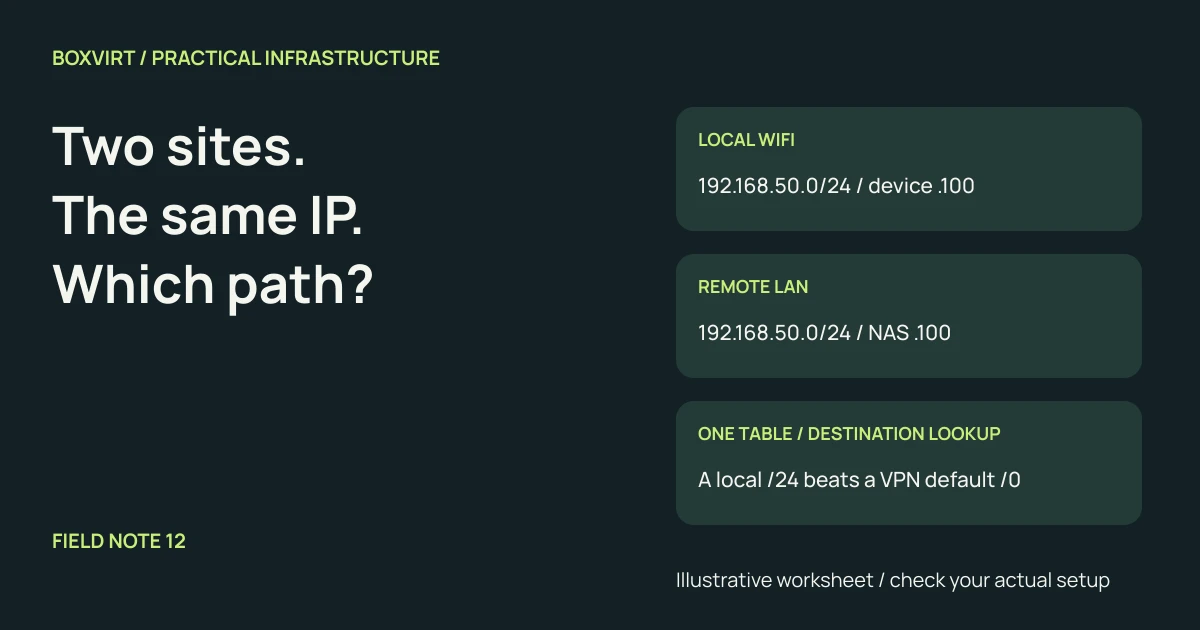
When a VPN connects two networks that both use 192.168.50.0/24, the address
192.168.50.100 can identify a local device or a remote server. The tunnel does
not add a location label to that destination. Start by checking which interface
the client selects for that exact address, before changing firewall rules.
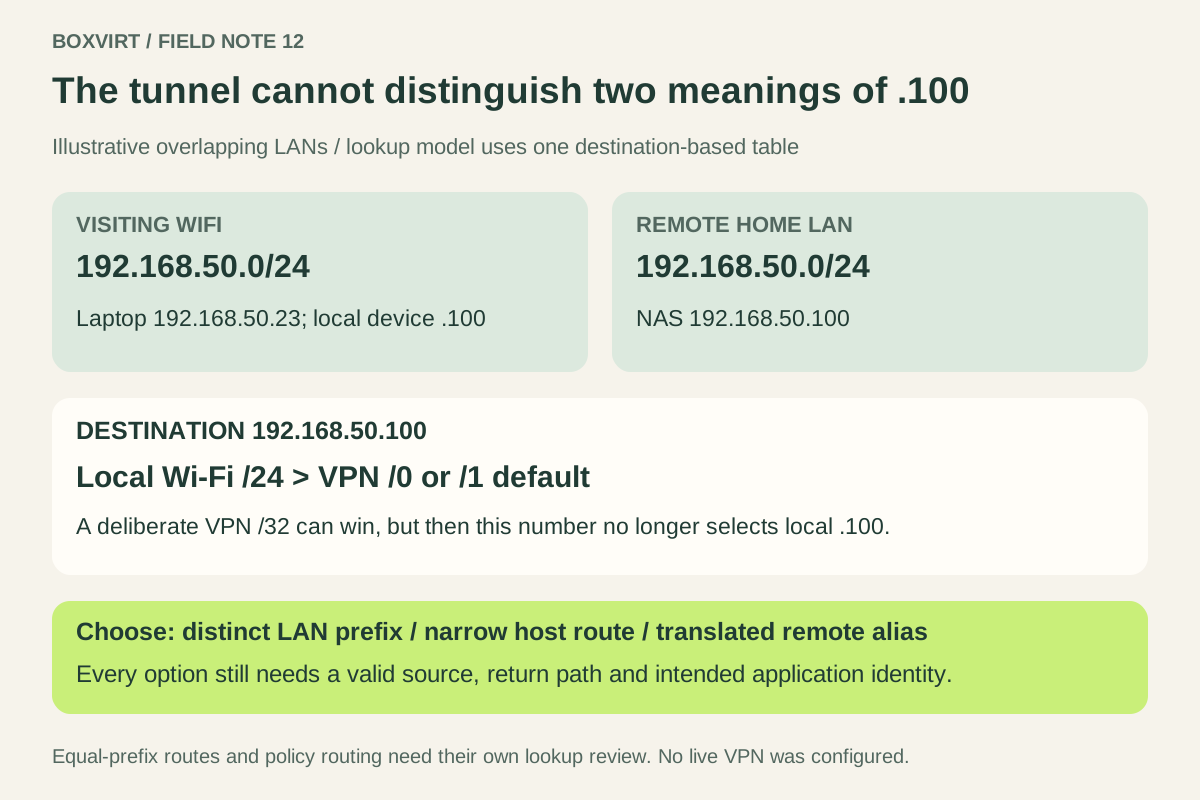
In the worked example below, a connected Wi-Fi /24 wins over a VPN default route in a simple destination-based lookup. Renumbering the controlled network removes the overlap; a narrow host route or translated address can solve a smaller, carefully scoped problem. Each choice needs a working return path.
This is a routing worksheet, not a tested VPN configuration. Addresses and route entries are illustrative; no live connection or packet capture is claimed.
Put both meanings of the address on the worksheet
Imagine a laptop visiting another home while its own NAS stays behind a VPN:
| Item | Illustrative address or prefix |
|---|---|
| Visiting laptop’s Wi-Fi address | 192.168.50.23/24 |
| Local Wi-Fi network | 192.168.50.0/24 |
| A local device | 192.168.50.100 |
| Remote home LAN | 192.168.50.0/24 |
| Remote NAS | 192.168.50.100 |
| Laptop’s separate tunnel address | 10.77.0.2/32 |
Both LANs legitimately use private space. RFC 1918 allows reuse in private networks; it does not give those independently selected addresses unique identities when the networks are connected. OpenVPN’s private-subnet planning guidance identifies this remote-access conflict and the similar problem between sites.
The tunnel pool is a third address space. Making it unique does not, by itself, make the two LAN prefixes unique. Record all three, along with other active VPNs and any container or VM networks on the client.
Check specificity before blaming the route metric
Assume these routes participate in one ordinary destination-based lookup:
| Destination prefix | Intended exit | Prefix length |
|---|---|---|
| 192.168.50.0/24 | Local Wi-Fi | 24 |
| 10.77.0.0/24 | VPN interface | 24 |
| 0.0.0.0/0 | VPN default | 0 |
For 192.168.50.100, the Wi-Fi /24 is more specific than the /0. Changing the
metric of that default route does not make its prefix more specific. The
longest-match rule in RFC 1812
explains this selection principle. A split full-tunnel default using two /1s
would still be less specific than this /24.
Now suppose the VPN installs another 192.168.50.0/24. Two equal-length routes
are a different case: operating-system preferences, metrics and policy can affect
selection. Do not turn the first example into a universal claim that a connected
route always beats every VPN route.
Policy routing can also select another table before the lookup. The Linux ip-rule manual describes source-, interface- and mark-dependent rules. The simple table above is deliberately not a model of every VPN client or operating system.
Inspect the lookup that the application will use
On a Linux client, these read-only queries are useful starting points:
ip -4 route get 192.168.50.100
ip -4 rule show
Run them on the affected client in your own environment, with the VPN connected.
The ip-route manual
explains get: inspect the selected device, next hop and source address, rather
than only searching for a route somewhere in a list. If rules use extra packet
attributes, reproduce that context when investigating the real flow. A lookup
is evidence about a routing decision, not a successful connection test.
If the result sends .100 directly to Wi-Fi, the client can use ARP there to find
its link-layer destination. RFC 826
describes address resolution on the connected link. A local device may answer,
or the request may time out. Neither outcome proves that the remote NAS received
anything. A successful ping could even reach the wrong .100.
Resolve names separately. A hostname that returns the same ambiguous address retains the routing problem; changing DNS alone does not identify the remote site. Check the application’s actual resolved destination and selected source address.
Choose a remedy that matches what you control
| Approach | What it changes | Cost to account for |
|---|---|---|
| Renumber the controlled remote LAN | Gives the site a distinct prefix | DHCP, static addresses, DNS, routes and address-based policy must agree |
| Deliberate /32 route for one remote host | Makes one destination more specific | That numeric address now selects the remote host instead of the local one |
| Translated remote address space | Gives remote resources separate client-facing addresses | Translation, routing, DNS and return traffic become part of the design |
Renumbering is usually the clearest long-term choice when you control the remote
LAN. For example, moving that LAN to 10.203.50.0/24 separates it from the visiting
192.168.50.0/24 in this worksheet. Check the proposed prefix against the complete
inventory first. No RFC 1918 block is guaranteed to avoid every future visitor’s
network, and a new prefix still needs its routes and policy.
A /32 route for 192.168.50.100 can direct that destination into the VPN in a
supported client design. It cannot simultaneously make the same number select
the local device. It also does not solve all hosts in the overlapping LAN. Treat
it as an explicit tradeoff, with a removal plan, rather than a generic route to
paste into every client.
Where renumbering is unavailable, a design could expose the remote NAS as
10.203.50.100 and translate that alias to the real 192.168.50.100 at the remote
boundary. This is an alternative to renumbering, not an instruction to configure
both. Route the alias to the VPN and verify the platform’s translation order,
source handling and reply mapping. Source NAT alone does not make the original
ambiguous destination unique on the client.
Follow the reply before calling the change complete
For the one-host route option, a request sourced from the tunnel address
10.77.0.2 needs a remote route back to that address through the VPN gateway.
If the request instead retains a source from the overlapping Wi-Fi /24, the NAS
may treat the reply destination as local and attempt resolution on the wrong LAN.
Inspect the actual source after any translation; do not assume that it matches
the laptop’s Wi-Fi address or its tunnel address.
Record both directions as a small acceptance table:
| Check | Required observation |
|---|---|
| Client lookup | The intended remote destination selects the intended VPN path |
| Source and return path | The server or translation boundary can return to that source |
| Destination identity | The responding service is the remote NAS, not a local lookalike |
| Required operation | The intended application works, not just an ICMP echo |
| Local access and restrictions | Needed local services still work; unintended remote access stays denied |
| VPN disconnect | Temporary routes or aliases behave as documented after teardown |
Preserve the current address plan and a way back before changing remote LAN settings. For a renumbering, include DHCP leases, pinned clients, DNS and policy objects in the same change plan; for a host route, record exactly what to remove.
Use the VLSM worksheet and IPv4 calculator to check proposed boundaries. For WireGuard specifically, keep the operating-system route, peer selection and the MikroTik tunnel’s return path as separate checks. A healthy handshake does not resolve an ambiguous LAN address.
The WireGuard AllowedIPs worksheet provides separate send and receive cases once the OS selects the intended tunnel.