A practical VLSM plan starts with every interface that needs an IPv4 address,
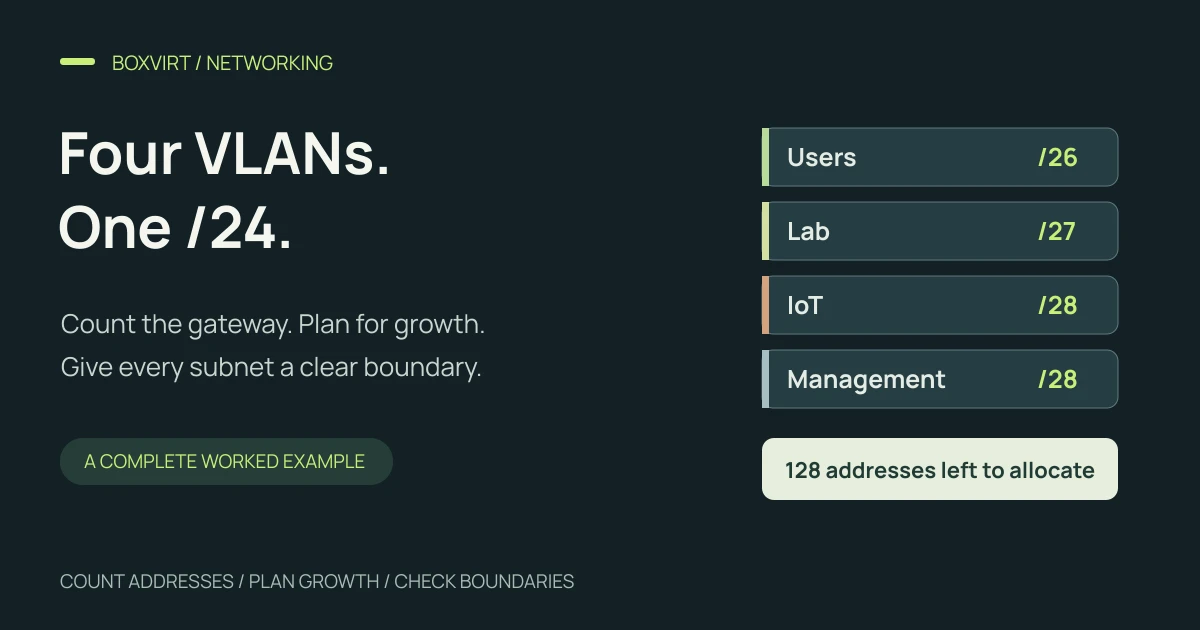
including the gateway. In this example, four VLANs need budgets of 56, 26,
13 and 7 host addresses. They fit into /26, /27, /28 and /28 subnets inside
192.168.50.0/24, leaving the upper half of the /24 unallocated.
The useful part is how those budgets are built. Counting only the five devices in the smallest VLAN suggests a /29, but adding its gateway and one future device makes that block too small. We will carry that requirement through the subnet table, gateway choices and endpoint ranges.
This is an illustrative address plan, not a scan or configuration of an existing network. The parent is within the private address space defined by RFC 1918. Before reusing it, check for conflicts with your current LANs, VPN routes and remote sites.
Count devices, gateways and growth separately
Assume a small lab with user devices, test workloads, IoT devices and management interfaces. Each VLAN gets one router address. The fixed-address column covers additional infrastructure; it excludes both the endpoints and gateway already counted in the other columns.
| VLAN / purpose | Current endpoints | Gateway | Other fixed interfaces | Planned growth | Total host requirement |
|---|---|---|---|---|---|
| 10 / Users | 45 | 1 | 2 | 8 | 56 |
| 20 / Lab | 19 | 1 | 2 | 4 | 26 |
| 30 / IoT | 9 | 1 | 1 | 2 | 13 |
| 40 / Management | 5 | 1 | 0 | 1 | 7 |
These are chosen requirements, not recommendations for every homelab. Count interfaces rather than assuming one address per physical box. A router or host with interfaces in several networks needs the relevant address in each network’s budget. If your gateway design uses two routers and a virtual address, replace the single-gateway allowance with the addresses that design actually requires.
The calculator takes the total host requirement, including growth. It does not add a gateway or a safety percentage for you.
Choose the smallest block that fits each requirement
VLSM means Variable Length Subnet Masking: different subnets in the plan can have different prefix lengths. RFC 4632 describes classless prefixes and their power-of-two address blocks.
For the ordinary IPv4 LANs in this example:
Usable host addresses = 2^(32 − prefix length) − 2
The two excluded addresses are the subnet’s network and broadcast addresses. This example does not use the special /31 point-to-point or /32 host-route cases.
| Needed hosts | Selected prefix | Subnet mask | Addresses in block | Usable hosts |
|---|---|---|---|---|
| 56 | /26 | 255.255.255.192 | 64 | 62 |
| 26 | /27 | 255.255.255.224 | 32 | 30 |
| 13 | /28 | 255.255.255.240 | 16 | 14 |
| 7 | /28 | 255.255.255.240 | 16 | 14 |
A /29 has eight total addresses and six conventional host addresses. Five management endpoints plus one gateway fill those six; the seventh required address is why we select a /28. Growth needs to be counted before choosing the prefix, rather than hoped for after deployment.
Allocate the largest subnet first and respect its boundary
Start with the largest block, then allocate smaller blocks at their valid boundaries. A /26 advances in blocks of 64 addresses in the last octet; a /27 in blocks of 32; a /28 in blocks of 16. Cisco’s subnetting and VLSM explanation provides the underlying subnet arithmetic.
Here is the resulting plan. Every address below belongs to the illustrative
192.168.50.0/24 parent:
| VLAN | Network | Host range | Broadcast | Chosen gateway |
|---|---|---|---|---|
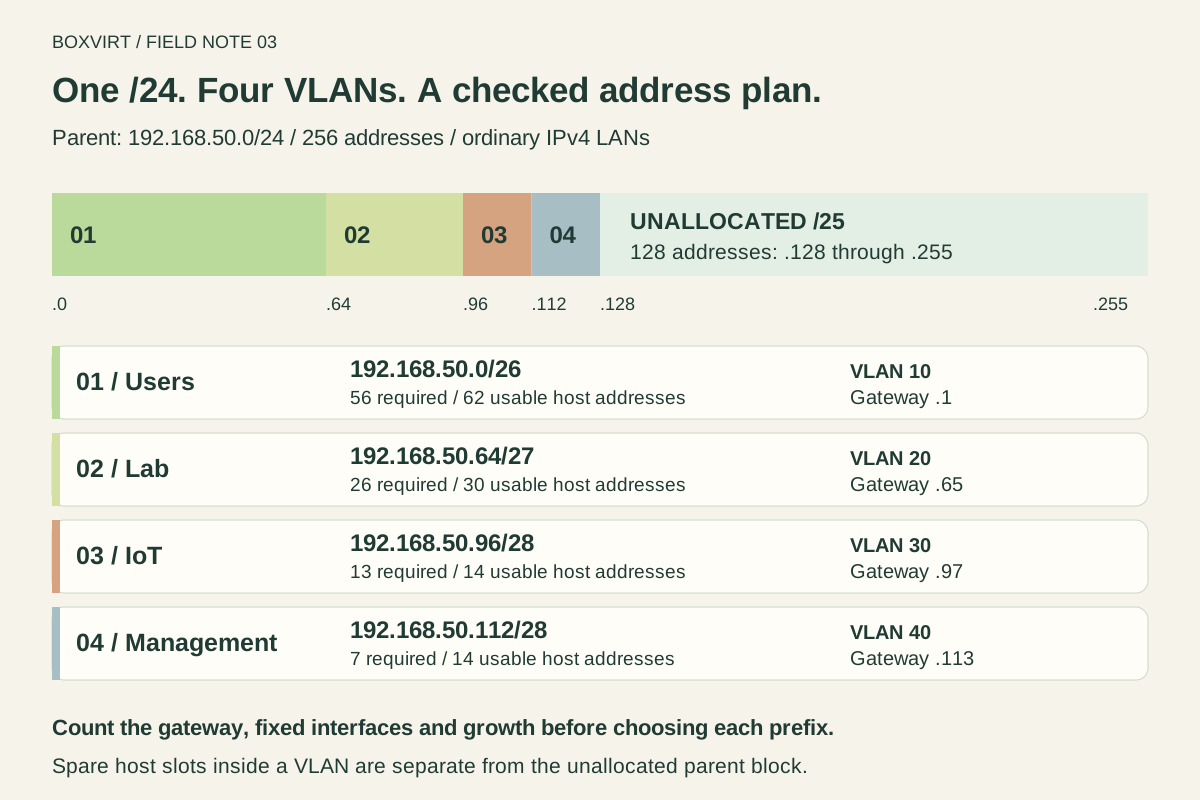
| 10 / Users | 192.168.50.0/26 | 192.168.50.1–62 | 192.168.50.63 | 192.168.50.1 |
| 20 / Lab | 192.168.50.64/27 | 192.168.50.65–94 | 192.168.50.95 | 192.168.50.65 |
| 30 / IoT | 192.168.50.96/28 | 192.168.50.97–110 | 192.168.50.111 | 192.168.50.97 |
| 40 / Management | 192.168.50.112/28 | 192.168.50.113–126 | 192.168.50.127 | 192.168.50.113 |
The shortened range endings mean the last octet: 192.168.50.1–62 runs from
192.168.50.1 through 192.168.50.62, inclusive. The gateway uses the first
usable address by convention in this plan. A valid gateway address elsewhere
in the same subnet would also work with the corresponding configuration.
VLAN IDs are labels for the layer-2 segments; they do not determine the subnet’s
starting address. VLAN 20 starts at .64 here because the preceding /26 occupies
.0 through .63.
Keep subnet capacity separate from the DHCP pool
A subnet describes the whole address block. A DHCP pool is the portion you choose to offer dynamically. RFC 2131 describes DHCP address allocation; the ranges below are our own choices for this worksheet, rather than defaults of any DHCP product.
The following table uses last-octet shorthand within 192.168.50.0/24:
| VLAN | Gateway | Other fixed addresses | Endpoint allocation | Endpoint capacity |
|---|---|---|---|---|
| Users | .1 | .2–.3 | DHCP .10–.62 | 53: 45 current + 8 growth |
| Lab | .65 | .66–.67 | DHCP .68–.90 | 23: 19 current + 4 growth |
| IoT | .97 | .98 | DHCP .99–.109 | 11: 9 current + 2 growth |
| Management | .113 | None additional | Manual .114–.118; .119 held for growth | 6: 5 current + 1 growth |
Gateway and manually assigned infrastructure addresses stay outside the dynamic pools in this example. When implementing a plan, make the DHCP configuration match that division explicitly. A worksheet does not exclude addresses from a running DHCP server. Reserved DHCP leases are another possible addressing method; their handling depends on the server’s configuration.
There is also spare host capacity inside the allocated subnets: six addresses in Users, four in Lab, one in IoT and seven in Management beyond the budgets. Those 18 addresses remain part of their respective VLANs. They are separate from the unallocated space in the parent.
Reproduce the plan in the VLSM calculator
Open the Boxvirt VLSM calculator. Enter
192.168.50.0/24 as the parent and paste:
Users,56
Lab,26
IoT,13
Management,7
Leave the /31 point-to-point and /32 host-route option off for this LAN plan. The result should match the four networks above and report:
- 256 addresses in the parent.
- 128 addresses allocated, including the network and broadcast addresses of each subnet.
- 128 addresses unallocated in the parent.
The two /28 requests have equal block sizes; in this input order, IoT receives
.96/28 and Management receives .112/28. Another valid planner could place
those two blocks in the opposite order. Keep one authoritative worksheet so
that gateway and DHCP assignments stay consistent with the chosen allocation.
Use the IPv4 subnet calculator to inspect one of the blocks separately. Neither calculator discovers existing devices or preserves addresses already used by a live network.
Check containment and overlap independently
You can check the subnet arithmetic with Python 3’s standard-library
ipaddress module.
This snippet performs local calculations only:
from ipaddress import ip_network
from itertools import combinations

parent = ip_network("192.168.50.0/24")
requests = [
    ("192.168.50.0/26", 56),
    ("192.168.50.64/27", 26),
    ("192.168.50.96/28", 13),
    ("192.168.50.112/28", 7),
]
blocks = [ip_network(cidr) for cidr, _ in requests]

for block, (_, needed) in zip(blocks, requests):
    assert block.subnet_of(parent)
    assert block.num_addresses - 2 >= needed

assert all(not a.overlaps(b) for a, b in combinations(blocks, 2))
remaining = parent.num_addresses - sum(b.num_addresses for b in blocks)
assert remaining == 128
print("Subnet checks passed; unallocated addresses:", remaining)
Also check the endpoint ranges against their own subnet: each range must stay between its first and last usable address, exclude its gateway and avoid any manual assignments. Calculating a prefix correctly does not prove that a DHCP pool copied into the router matches it.
Preserve a useful growth block and plan the implementation
The four allocations occupy 192.168.50.0/25. The contiguous unused block is
192.168.50.128/25, spanning .128 through .255 as an unallocated block,
not 128 ordinary host addresses in an active LAN.
Keeping that block together gives a future network room to grow. It does not
guarantee that an existing VLAN can expand in place: the Users /26 has the Lab
network immediately after it. Enlarging Users to .0/25 would overlap the other
three allocations. Review the whole plan before changing a prefix.
Treat the /24 as the parent planning allocation. Do not configure it as an overlapping LAN alongside these more-specific VLAN subnets.
Next, map the worksheet to VLAN membership, router interfaces, DHCP scopes and an explicit traffic policy. An address plan alone establishes no firewall permissions. The OPNsense firewall documentation describes the separate rules that permit or restrict traffic. The Proxmox networking guide explains the bridge and VLAN side; the DHCP migration checklist helps identify the lease, gateway and DNS checks needed during an actual cutover.