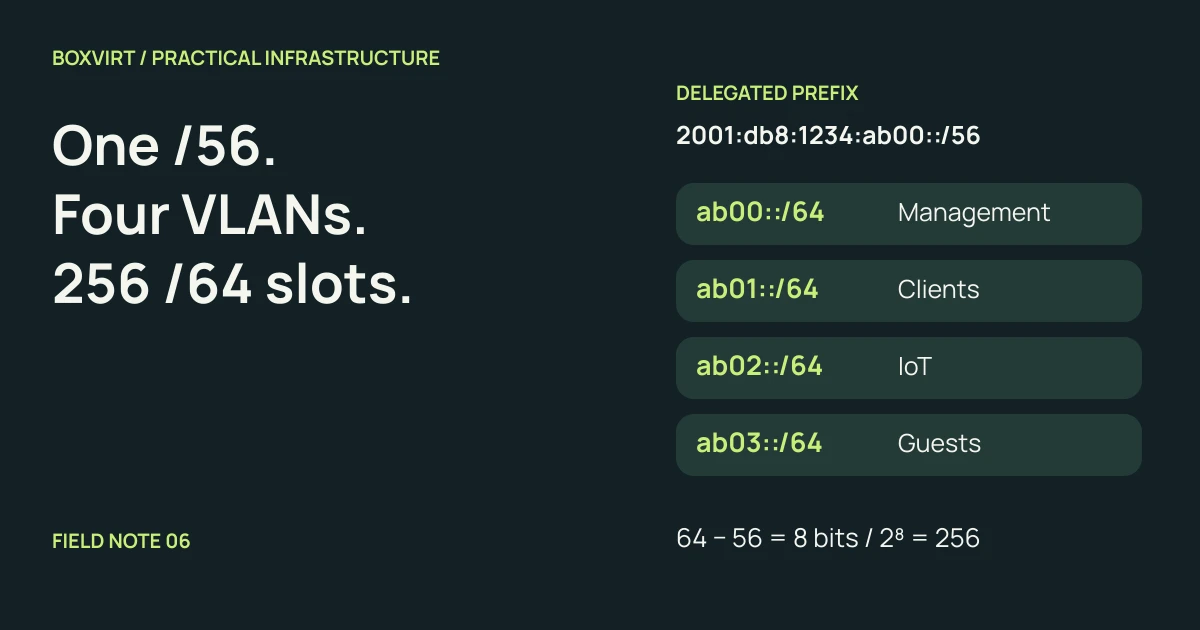
A delegated /56 contains 256 different /64 networks. For four ordinary Ethernet VLANs using SLAAC, assign a separate /64 to each VLAN rather than dividing one /64 into smaller host-count-based blocks.
Our example starts with 2001:db8:1234:ab00::/56. Management, clients, IoT and
guests receive the /64s ending in fourth-hextet values ab00, ab01, ab02
and ab03. These are documentation addresses from the range reserved by
RFC 3849, not addresses to deploy
on the public Internet.
The arithmetic is simple; the useful checks are whether you actually have a delegated prefix, which bits you can change, and how the router will keep the LANs working if the provider changes that prefix.
Identify the delegated prefix before planning LANs
Record the prefix routed or delegated to your router, its length, and whether the provider keeps it persistent. A global IPv6 address on the WAN interface does not by itself establish that you have a /56 available for internal VLANs.
The WAN link and delegated LAN space serve different purposes. Your router may have a WAN address from one prefix and receive another allocation for downstream networks. Use the actual allocation and any exclusions supplied by the provider; do not assume that an address displayed on the WAN is the start of your internal pool.
RIPE-690 discusses prefix delegation, persistence and assignment sizes. RFC 6177 explains why end sites can need more than a single subnet. Neither document is a promise that a particular provider supplies a /56. Verify what your connection actually receives.
Use the eight subnet bits between /56 and /64
An IPv6 address has 128 bits. Splitting this parent into /64s makes eight additional bits available for choosing a subnet:
Child subnet bits = 64 − 56 = 8
Number of /64 networks = 2^8 = 256
In the fourth hextet, the first two hexadecimal digits are fixed at ab.
The last two range from 00 through ff:
| Subnet index | Fourth hextet | Child network |
|---|---|---|
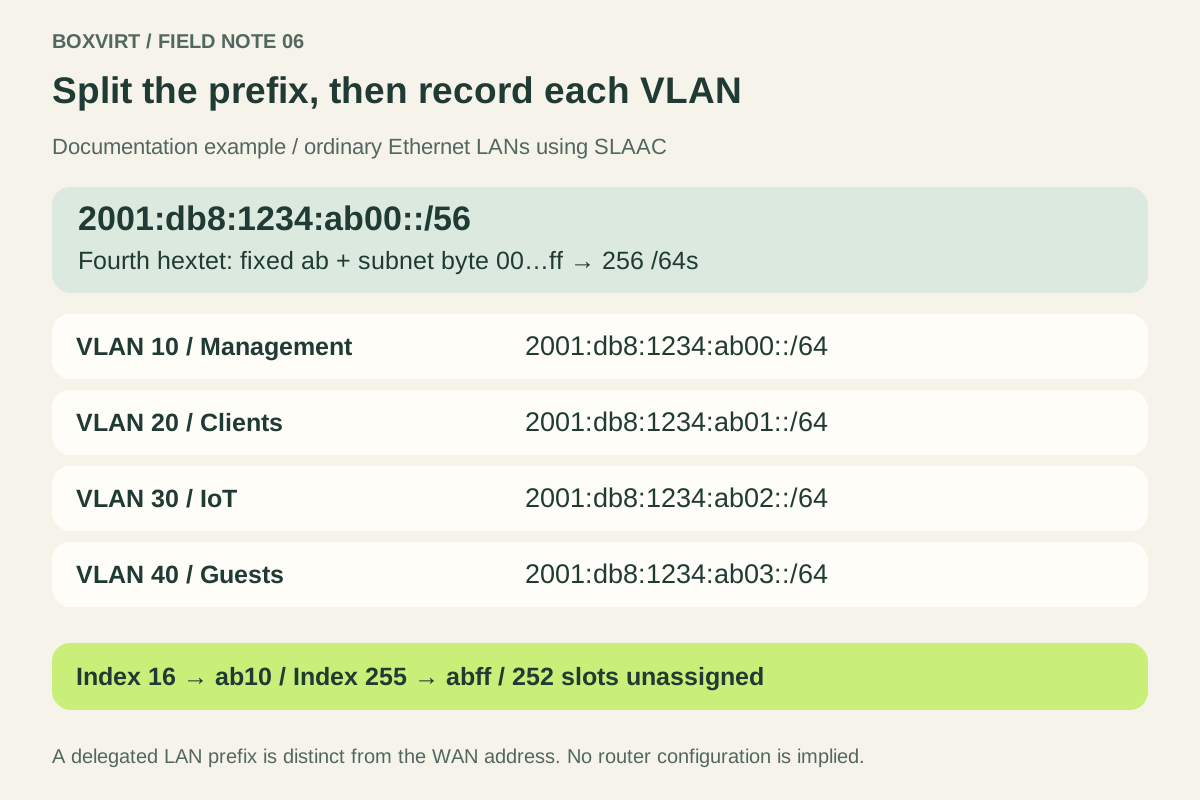
| 0 | ab00 | 2001:db8:1234:ab00::/64 |
| 1 | ab01 | 2001:db8:1234:ab01::/64 |
| 2 | ab02 | 2001:db8:1234:ab02::/64 |
| 3 | ab03 | 2001:db8:1234:ab03::/64 |
| 255 | abff | 2001:db8:1234:abff::/64 |
The indices are decimal while the hextet is hexadecimal. Index 16 therefore
produces ab10, not ab16. Keep that distinction explicit when documenting
larger plans.
The parent begins at 2001:db8:1234:ab00:: and ends at
2001:db8:1234:abff:ffff:ffff:ffff:ffff. The entire fourth hextet is not free
to vary: 2001:db8:1234:ac00::/64 is outside this /56.
Give each VLAN one documented /64
Here is one possible assignment. VLAN IDs are operational labels, not an instruction to copy their decimal numbers into an IPv6 address:
| VLAN | Purpose | Prefix | Example router global address |
|---|---|---|---|
| 10 | Management | 2001:db8:1234:ab00::/64 | 2001:db8:1234:ab00::1 |
| 20 | Clients | 2001:db8:1234:ab01::/64 | 2001:db8:1234:ab01::1 |
| 30 | IoT | 2001:db8:1234:ab02::/64 | 2001:db8:1234:ab02::1 |
| 40 | Guests | 2001:db8:1234:ab03::/64 | 2001:db8:1234:ab03::1 |
Using a router address ending in ::1 is a choice within each example prefix.
It does not mean clients must use that global address as a manually entered
default gateway. IPv6 default-router discovery commonly uses the router’s
link-local address, as described in
RFC 4861. Address configuration, router advertisements and DNS need
their own implementation settings.
These four choices consume four of the 256 mathematical /64 slots. The other 252 remain unassigned in this worksheet, subject to any provider exclusions or local reservations. Record the purpose and index rather than relying on memory when adding the next VLAN.
Keep /64 LAN planning separate from IPv4 host budgeting
The analysis of the 64-bit boundary in RFC 7421 explains its significance for common IPv6 mechanisms. This article concerns ordinary Ethernet LANs using SLAAC, whose prefix and interface-identifier lengths must fit as described in RFC 4862. It is not a rule that every IPv6 link, host route or special-purpose deployment must have the same prefix length.
Do not turn an IoT VLAN into a /120 simply because it has few devices and expect conventional Ethernet SLAAC to keep working. Equally, do not apply IPv4’s subtraction of a network and broadcast address to an IPv6 /64. RFC 4291 describes IPv6 unicast, anycast and link-local addressing; IPv6 has no broadcast address. A mathematical address count still is not a recommendation to assign every value to a host.
If you receive only one delegated /64, splitting it into four /66s produces four arithmetic ranges, but not four conventional SLAAC /64 LANs. Investigate whether a larger delegation is available or whether the network design needs to change. A calculator’s acceptance of a prefix is not proof that a proposed address-assignment method supports it.
Verify the plan with the IPv6 calculator
In the Boxvirt IPv6 calculator, enter:
- Address / prefix:
2001:db8:1234:ab00::/56. - Child prefix: 64.
- Preview rows: 4; first subnet index: 0.
The normalized parent should remain unchanged, the child count should be 256,
and the four rows should match the VLAN table. To inspect the far boundary,
request one row starting at index 255; it should show abff::/64 within
the same first three hextets.
You can also try index 16 to verify the hexadecimal step to ab10.
These are local calculations. The tool does not contact addresses or determine
whether a provider routes them to you.
Before implementation, check each child is inside the parent and that no two VLANs use the same /64. Keep the IPv4 worksheet separate: the four-VLAN VLSM example counts IPv4 host requirements, while this plan allocates IPv6 LAN prefixes.
Plan for prefix changes and test the traffic policy
If the provider changes the delegated parent, fixed global addresses, DNS entries and rules tied to it can become stale. Keep stable subnet indices where your router supports tracking a delegation, and document which settings are derived from the parent versus manually fixed. The actual renumbering behaviour needs verification on the chosen router and client systems.
Creating four prefixes does not establish the intended access between them. Check the IPv6 policy as well as IPv4: management access, allowed application traffic, guest restrictions and required control traffic. Test both an operation that should work and one that should be denied.
Use the Proxmox networking guide to connect the address plan to bridges and VLAN membership. This worksheet is ready for configuration review; it does not claim that any live VLAN, router advertisement or firewall rule has been configured or tested.